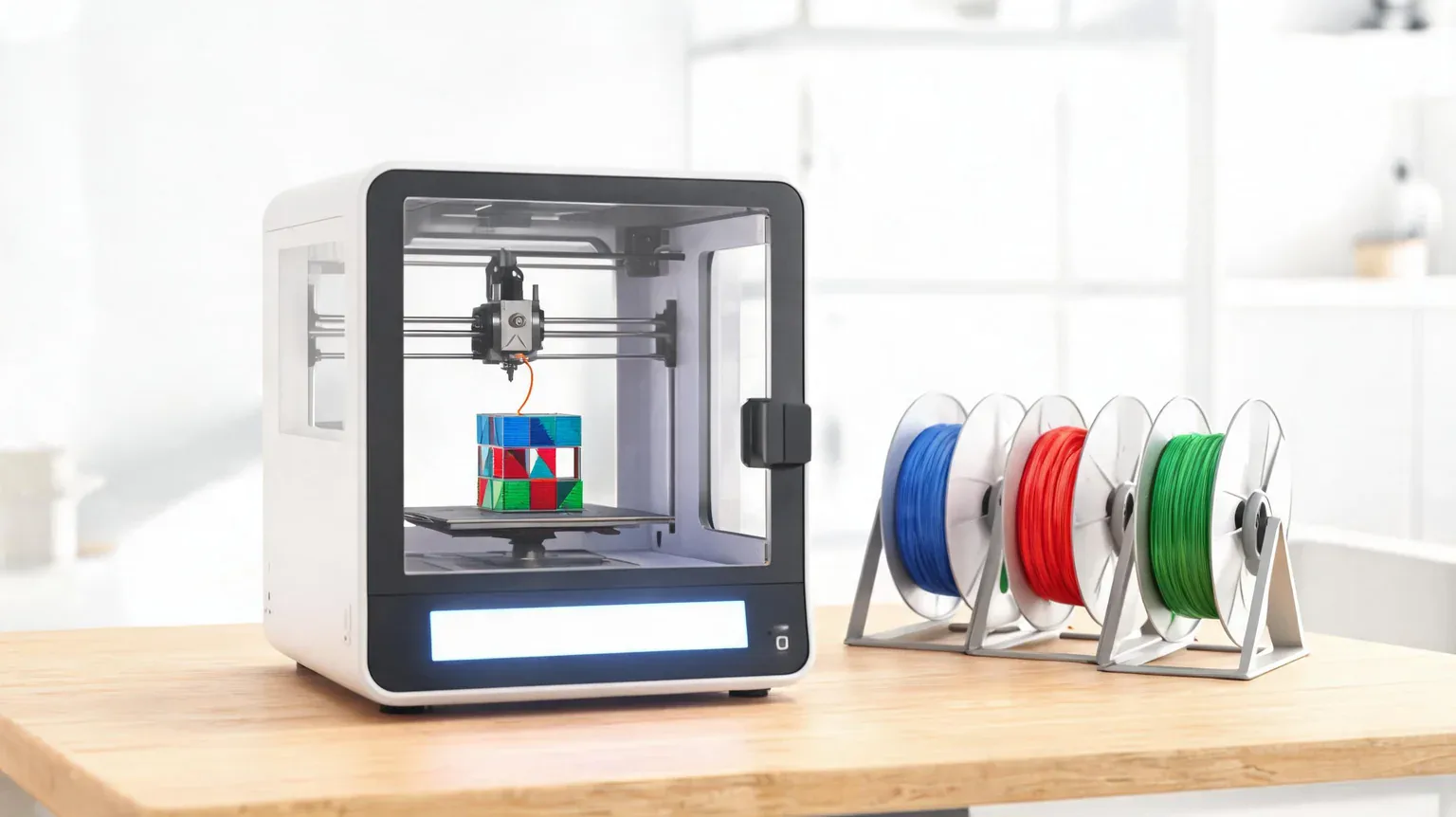
Best 3D printers in 2026 are not the ones with the biggest speed number on the box – they are the machines that finish their first print without you becoming a mechanic. We ranked seven printers you can buy on Amazon today, from a $200 fully assembled mini to a $1,199 large-format machine, checked every build volume and speed claim against the live listing, and separated the specs that matter from the ones that are marketing.
Affiliate disclosure: As an Amazon Associate I earn from qualifying purchases. We earn commission from qualifying purchases made through links on this page. This never affects our rankings or what we recommend.
What is inside this guide
- The seven picks at a glance
- FDM or resin: what you are choosing
- How to size a printer to the parts you print
- The picks, reviewed
- What you will actually spend
- Failure modes and first-print traps
- Spec-claim reality checks
- Where we disagree with the big testers
- How we chose and what we verified
- FAQ
- The bottom line
The seven picks at a glance
Every price, rating and build volume below was pulled from Amazon’s product API and the live product pages on September 23, 2026. Each pick was checked as a first-party brand listing with the brand as the first word of the product title, an active buy box and a real rating pool. 3D-printer prices move constantly – the FlashForge below was 17% off and the Creality 15% off on the day we checked – so treat the numbers as a snapshot and let each card check the live price.
| Product | Standout spec | Price | Track record | Deal |
|---|---|---|---|---|
 BAMBULAB Bambu Lab P1S 3D Printer, Ready-to-Use FDM 3D Printer |
Enclosed CoreXY · 500 mm/s · 20,000 mm/s² accel · up to 16 colours wi | $399.00 |
4.5 ★ 402 ratings #1 in 3D Printers |
In Stock |
 BAMBULAB Bambu Lab P2S Combo, P2S 3D Printer & AMS 2 Pro, Multi-Color 3D Printing |
350 x 350 x 350 mm build volume · 600 mm/s · AMS 2 Pro included · filament | $769.00 |
4.7 ★ 151 ratings |
In Stock |
 FLASHFORGE FLASHFORGE Adventurer 5M 3D Printer with Fully Auto Leveling, Max 600mm/s High |
220 x 220 x 220 mm build volume · 600 mm/s · 280 °C direct extruder · | $249.00 $299.00 |
3.9 ★ 2,516 ratings |
17% OFF In Stock |
 BAMBULAB Bambu Lab A1 3D Printer, Ready-to-Use FDM 3D Printer for Beginners and Kids |
Open-frame bed slinger · 10,000 mm/s² accel · full-auto calibration · | $299.99 |
4.7 ★ 662 ratings |
In Stock |
 ELEGOO ELEGOO Saturn 4 Ultra 16K Resin 3D Printer |
16K mono resin printer · 30 °C tank heating · AI camera · auto-levell | $519.99 $649.99 |
4.3 ★ 360 ratings |
20% OFF Prime Exclusive In Stock |
 Creality Creality K2 Plus Combo 3D Printer, Multi Color Printing with New CFS 600mm/s H |
350 x 350 x 350 mm build volume · 600 mm/s · 30,000 mm/s² accel · 4-c | $1,199.00 $1,410.99 |
4.0 ★ 896 ratings |
15% OFF In Stock |
 Entina Entina Tina2C 3D Printer for Kids & Beginners, Fully Assembled Starter Mini 3D |
Fully assembled mini · printing in about 8 minutes · Wi-Fi + app · auto-le | $199.99 |
4.4 ★ 342 ratings |
In Stock |
FDM or resin: what you are choosing
There are two consumer technologies and they produce different objects. FDM (also called FFF) melts a filament of plastic through a nozzle and lays it down layer by layer – six of our seven picks are FDM, and it is what you want for brackets, toys, containers, tools and anything that has to take a knock. Resin printing cures liquid photopolymer with a screen, one whole layer at a time, and it is what you want for miniatures, jewellery and models, because resolution is measured in microns rather than nozzle widths. Tom’s Hardware puts the split plainly in its own buying guide: resin printers are the ones that “measure resolution in microns,” which is why our resin pick is a 16K machine and our FDM picks quote nozzle widths instead.
The trade is workflow. FDM prints come off the plate ready to use; resin prints come off the plate wet with uncured resin and need gloves, ventilation, an isopropyl-alcohol wash and a UV cure before they are safe to handle. Resin also costs more per part and takes a different kind of care. If your first instinct on seeing a printer is “I could fix that drawer handle with this,” buy FDM. If it is “I could make that miniature,” buy resin.
It is worth knowing that the vocabulary itself is contested. The term FDM comes from a trademarked process name, and the standards bodies moved to the neutral term material extrusion; the ASTM terminology standard that set out those categories (F2792) was withdrawn in 2015, and the modern reference is the ISO/ASTM 52900 vocabulary. Manufacturers and marketplaces have not caught up, which is why every listing here still says FDM. None of that changes which printer to buy – but when a listing quotes a standard at you, it is worth knowing which standards still exist.
How to size a printer to the parts you print
Three price bands cover this market, and each buys a different capability. At $200-$300 you get the entry machines – Entina’s fully assembled mini at $199.99, the FlashForge Adventurer 5M at $249 and the Bambu Lab A1 at $299.99 – all of which will print a 200 mm part and all of which are genuinely usable out of the box. At $350-$550 the enclosed machines arrive: the Bambu P1S at $399 with its heated chamber and 500 mm/s motion platform, and ELEGOO’s 16K resin machine at $519.99 for miniature work. Above $700 you are buying volume and multi-colour in the same box – the P2S Combo at $769 and the Creality K2 Plus Combo at $1,199 both ship with a four-colour unit and a 350 mm build volume.
The stopping point for most buyers is around $400. Below it you are trading enclosure, multi-colour and build volume; above it, the money goes into those three things rather than print quality, because the motion platform and hotend on the $399 P1S are the same generation as the machines costing twice as much. The clearest example in this roundup: the $399 P1S and the $769 P2S Combo share a lineage, and the $370 difference buys a 350 mm cube instead of a 256 mm one, plus the AMS 2 Pro and a heated chamber. If your parts fit in a 250 mm cube, that money is better spent on filament.
Three numbers decide the fit, and none of them is the speed figure on the box front. Build volume (220 x 220 x 220 mm on the budget machines, 350 x 350 x 350 mm on the flagships) decides what you can print in one piece, and it is the single most common reason people upgrade within a year. Enclosure decides which materials you can run – ABS, ASA and polycarbonate need a heated chamber, and the P1S and the K2 Plus both provide one. Multi-colour is the third: it is a genuinely different experience and it always costs extra, whether that extra is an AMS unit bolted to a P1S or a CFS system included with the K2 Plus.
One caution from the specialists: there is no universal machine. Tom’s Hardware says it outright – “There is no one-size-fits-all solution in 3D printing” – and their own list splits into eleven categories for exactly that reason. Buy for the parts you actually print this year, not the ones you imagine printing.
The picks, reviewed
1. Bambu Lab P1S – the current #1 Best Seller in 3D Printers
Amazon’s live 3D Printers chart on September 23, 2026 lists the P1S at #1, and it is the machine most people who ask us about 3D printing end up buying. It is a fully enclosed CoreXY printer rated to 500 mm/s with 20,000 mm/s² acceleration, it levels the bed automatically, and Bambu Lab quotes a 15-minute setup. At $399 it also happens to be a former CNET best-overall winner, now two generations behind the company’s newest flagships – which is why it is the value pick in this roundup rather than the newest one.
What we like:
- The #1 best seller in the category, with an enclosed chamber that keeps drafts off the print
- 500 mm/s and 20,000 mm/s² acceleration – the same motion platform as Bambu’s higher tiers
- Up to 16 colours when you add an AMS unit, and it is the cheapest route into that ecosystem
- Auto bed levelling and a quoted 15-minute setup – no assembly marathon
Who should skip it: Skip it if you want multi-colour printing on day one without buying extras – the P2S Combo includes the AMS 2 Pro for $370 more.
Flaws but not dealbreakers:
- The AMS multi-colour unit is sold separately, so the $399 price is for a single-colour machine
- 402 ratings at 4.5 stars – a solid pool, but far smaller than the budget machines here
- Now two generations old, so replacement parts and firmware sit behind the P2S and H2D
2. Bambu Lab P2S Combo – the best printer here if the budget allows
The P2S Combo is the machine CNET’s reviewer currently names as his overall frontrunner, and it is easy to see why: a 350 x 350 x 350 mm build volume, 600 mm/s printing, the AMS 2 Pro multi-colour unit included, filament drying built in, and an adaptive airflow system that holds a 50 °C chamber for engineering-grade materials. At $769 it costs nearly double the P1S, and the build volume alone is worth the difference if you print large parts.
What we like:
- 350 x 350 x 350 mm build volume – the joint-largest in this roundup
- AMS 2 Pro included, with built-in filament drying up to 65 °C
- Adaptive airflow that holds a 50 °C chamber for ABS and other engineering filaments
- 600 mm/s with active flow-rate compensation and AI failure detection
Who should skip it: Skip it if you print small parts on a desk – the A1 and the P1S produce the same quality on a smaller platform for half the money.
Flaws but not dealbreakers:
- $769 is a lot to spend on a first printer, and 151 ratings is a thin pool for the money
- At 46.3 lb it is a permanent bench fixture, not something you move around
- It is a 2026 model, so the long-term reliability picture is still being written
3. FLASHFORGE Adventurer 5M – the best printer under $250
At $249 – 17% off a $299 list – the Adventurer 5M is the cheapest enclosed-adjacent CoreXY machine here, with a 220 x 220 x 220 mm build volume, 600 mm/s travel, a 280 °C direct extruder and a three-second nozzle swap. It also carries 2,516 ratings, the largest buyer pool in this roundup after the budget Ender line – but at 3.9 stars it is also the lowest-rated printer we ranked, and that gap is worth understanding before you buy.
What we like:
- $249 for a CoreXY machine with 600 mm/s travel and 20,000 mm/s² acceleration
- 220 x 220 x 220 mm build volume, the same class as machines costing twice as much
- 2,516 ratings – the deepest verified buyer pool of any printer we ranked
- Three-second nozzle changes and one-click auto levelling keep maintenance simple
Who should skip it: Skip it if you want the smoothest out-of-box experience – the Bambu A1 costs $51 more and rates 4.7 stars.
Flaws but not dealbreakers:
- 3.9 stars across 2,516 ratings is the weakest rating in this roundup – read the critical reviews
- Not fully enclosed, so draughty rooms and ABS printing are harder
- The $249 price is a 17% discount; at list price it competes directly with the Bambu A1
4. Bambu Lab A1 – the open-frame printer we would give a beginner
The A1 is the highest-rated machine in this roundup at 4.7 stars across 662 ratings, and at $299.99 it sits between the FlashForge and the P1S. It is an open-frame bed-slinger built for exactly what its listing says – beginners and kids – with full-auto calibration, active flow-rate compensation and 10,000 mm/s² acceleration, plus support for the AMS lite multi-colour system.
What we like:
- 4.7 stars across 662 ratings – the best rating of any printer here
- Full-auto calibration and flow-rate compensation, so first prints land without tinkering
- Designed and marketed for beginners and kids, with a guided setup
- Open frame makes it easy to watch and to unjam – a real advantage for a first machine
Who should skip it: Skip it if you need an enclosed chamber for engineering filaments – the P1S is the answer at $399.
Flaws but not dealbreakers:
- Build volume is not published in the listing bullets, so you cannot size it on paper
- Open frame means no enclosure for ABS or ASA without extra work
- No AMS lite in the box at $299.99 – multi-colour costs more
5. ELEGOO Saturn 4 Ultra 16K – the resin pick for miniatures
Everything else here melts plastic filament; this one cures liquid resin with a 16K mono screen for detail no FDM nozzle can match. It costs $519.99 – 20% off a $649.99 list – and adds a heated resin tank held at 30 °C, an AI camera that watches for empty plates and warped models, and automatic levelling. If your printing is tabletop miniatures, jewellery or dental models, this is the category that matters.
What we like:
- 16K mono resolution for miniature detail that FDM simply cannot reproduce
- Heated resin tank at 30 °C, which keeps resin fluid and improves consistency in a cold room
- AI camera for empty-plate and warped-model alerts, plus automatic levelling
- 20% off list, and 4.3 stars across 360 ratings
Who should skip it: Skip it if you want to print big, strong, functional parts – buy an FDM machine and expect a rougher surface.
Flaws but not dealbreakers:
- Resin printing means gloves, ventilation, isopropyl alcohol and a wash-and-cure workflow
- Resin and consumables cost more per part than filament
- It cannot print the large functional parts the FDM machines here handle
6. Creality K2 Plus Combo – the large-format machine
A 350 x 350 x 350 mm build volume with a four-colour CFS unit included, 600 mm/s printing, 30,000 mm/s² acceleration, a 60 °C chamber and a 40 mm³/s high-flow hotend, for $1,199 – 15% off a $1,410.99 list. This is the machine for cosplay armour, large functional parts and print-farm style batch work, and it is the one printer here that competes on volume rather than convenience.
What we like:
- 350 x 350 x 350 mm build volume with a 4-colour CFS unit in the box (16 colours with four units)
- 30,000 mm/s² acceleration and a 40 mm³/s high-flow hotend for fast large prints
- Actively heated 60 °C chamber for ASA and other warp-prone materials
- Dual AI cameras and full auto-levelling on a machine this size
Who should skip it: Skip it unless you routinely print parts bigger than a 220 mm cube – you are paying for volume you may not use.
Flaws but not dealbreakers:
- $1,199 is the highest price here, and 4.0 stars across 896 ratings is mid-pack for the money
- At 70.4 lb it arrives as a serious installation, not a desk appliance
- Large-format machines amplify every calibration error – this is not a first printer
7. Entina Tina2C – the cheapest way to find out if you like this
A fully assembled mini printer for $199.99 that the listing says is printing within about eight minutes of unboxing, controlled from a phone app over Wi-Fi, with a 3,500-model library and auto-levelling. It carries 342 ratings at 4.4 stars and sits at #9 on the live chart. It is small, it is slow by comparison, and for a household that is not yet sure it wants a 3D printer it is the lowest-risk way in.
What we like:
- $199.99 is the lowest price in this roundup, fully assembled and printing in minutes
- Phone-app and Wi-Fi control with a 3,500-model library – no slicer learning curve to start
- Auto-levelling and a magnetic build plate keep early failures low
- 342 ratings at 4.4 stars, and #9 on the live 3D Printers chart
Who should skip it: Skip it if you already know you want bigger parts – the FlashForge and Bambu A1 cost $50-$100 more with far more capacity.
Flaws but not dealbreakers:
- A mini build volume cannot print anything large, so it will be outgrown quickly
- Slower print speeds than every other machine here
- It is a starter, not a machine you grow into – expect to buy again if the hobby sticks
Three listings that did not make the cut. The Bambu Lab A1 Mini Combo ($369) is one of the best value machines in the category – TechRadar names it its budget pick and CNET recommends it for beginners – but its 180 x 180 x 180 mm build volume overlaps with the full-size A1 we ranked, which is the better buy for $70 less. The FLASHFORGE AD5X ($349) adds four-colour printing to the Adventurer 5M platform, but a 3.9-star average across 1,084 ratings is not enough to put it ahead of the P1S. And the Creality Ender 3 V3 SE ($186.14) is the cheapest way into the hobby we found on Amazon with a real buyer pool – 790 ratings at 4.1 stars – but single-colour, slow and manual, which is not the experience we would hand a first-time buyer in 2026.
What you will actually spend
The printer is between half and two-thirds of the first-year cost. A 1 kg spool of PLA runs roughly $18-$25 and prints a surprising amount – a few hundred small parts – while PETG and ABS cost more and need the enclosure these machines vary on. A hardened nozzle for abrasive filaments is about $15-$30, and a spare textured PEI plate is $20-$35. Budget $60-$100 for the first year of filament if you print regularly, and add a dry box or filament dryer ($40-$70) if you use PETG or nylon in a humid climate, because wet filament is the single most common cause of a print that looks like it failed for no reason.
Multi-colour changes the arithmetic twice: once when you buy the AMS or CFS unit, and again every time you print, because colour changes purge filament into a waste chute. Tom’s Hardware’s take on the dual-nozzle machines is that a second nozzle “dramatically reduces filament waste for multi-colour or multi-material prints, helping you to save money” – and that is the honest argument for spending more. If you print one colour 90% of the time, buy the P1S and skip the AMS until you want it.
Resin has its own consumable stack: resin itself, isopropyl alcohol, nitrile gloves, a wash-and-cure station and a well-ventilated spot to work in. It is the right cost if you are printing miniatures and the wrong cost if you are printing drawer handles. And whichever route you take, factor in the software: every printer here ships with a slicer, and the Bambu and Bambu-family machines include both cloud and offline slicing, which matters if you would rather not send models through someone else’s server.
Failure modes and first-print traps
The first print fails for reasons that have nothing to do with the printer’s price. The leading cause is a first-layer problem – a bed that is level but too far from the nozzle, or a plate that has picked up fingerprints. Every machine here auto-levels, which removes the manual tramming step but not the need for a clean plate and a sensible Z offset. The second is wet filament, which shows up as popping noises and a foamy, weak surface finish; the AMS 2 Pro on the P2S Combo heats spools up to 65 °C specifically to combat this, which is unusual in this price class and genuinely useful. The third is poor bed adhesion on large flat parts, which is where an enclosure and a heated chamber stop being luxuries and start being the difference between a finished print and a curled one.
Mechanically, the failures are more predictable. Nozzle clogs follow abrasive filament or a badly seated hotend; the Adventurer 5M and P2S both advertise quick-swap nozzles for exactly this reason. Belt and tensioner wear shows up as ringing on corners; vibration compensation, present on the FlashForge and Bambu machines, suppresses it but does not repair it. And on the large-format K2 Plus, every millimetre of misalignment is multiplied across a 350 mm part, which is why we do not recommend a machine that size as a first printer.
The failure that costs the most time, though, is choosing the wrong machine. CNET’s reviewer, who has tested close to a hundred printers, frames the beginner decision around print quality, speed and ease of use first, and warns that the $799 class is “the high end of what a beginner should spend.” We would put the ceiling lower still: a $200-$400 machine that prints every week beats a $1,199 machine that intimidates its owner.
Spec-claim reality checks
“600 mm/s” is a travel speed, not a print speed. Every high-speed listing quotes 600 mm/s, and it is a real figure – it is how fast the toolhead can move. What it does not mean is that a 100 mm part prints in a sixth of a second, because acceleration, extrusion flow and cooling all cap the practical rate. The honest comparison is the acceleration figure printed next to it: the FlashForge lists 20,000 mm/s², the P1S 20,000 mm/s², the Creality K2 Plus 30,000 mm/s² and the Bambu A1 10,000 mm/s². Higher acceleration means the printer reaches its top speed sooner, which is why a 220 mm part prints in similar time on the $249 FlashForge and the $399 Bambu despite the same headline number.
“Fully enclosed” and “heated chamber” are not the same claim. The P1S is described as fully enclosed and that is accurate – a lid and sides keep draughts off the print. But an enclosure that warms up because of the motors is not the same as an actively heated chamber: the P2S advertises an adaptive airflow system that holds 50 °C and the K2 Plus advertises 60 °C. If you want to print ABS or ASA, ask for the chamber temperature, not the enclosure.
“Automatic bed leveling” removes tramming, not maintenance. Every machine here advertises it, and it is a genuine quality-of-life feature. It does not remove the need for a clean plate, a correct Z offset or a healthy print surface, and a plate that has lost its texture will fail an auto-levelled first layer just as fast as a manual one. The P2S listing is the most specific here, pairing “automatic calibration” with active flow-rate compensation – which is the part that actually improves the first layer.
Build volumes are quoted in millimetres and inches that do not always match. The Creality K2 Plus advertises “13.78 x 13.78 x 13.78 inch” in its title and 350 x 350 x 350 mm in its bullets – the same measurement expressed twice. The Bambu A1’s listing, by contrast, never states its build volume in the specification bullets at all, only describing it as “bigger than most of the entry-level printers”. Where a manufacturer will not publish a number, treat that as information.
Measurement and standards are the quiet part of this industry. The National Institute of Standards and Technology notes that as additive manufacturing matures, “comprehensive measurements and standards will be critical for expanding AM use by industry,” and that dimensional accuracy is an active area of measurement research rather than a settled number. That is the honest context for a listing that promises 0.1 mm layers: layer height and dimensional accuracy are different specifications, and only one of them is usually advertised.
Where we disagree with the big testers
The three serious testing teams we read all pick a different Bambu Lab machine, and none of them picks Amazon’s best seller. Tom’s Hardware names the new X2D its best overall after testing it against the X1C it replaces. CNET, testing in a 15,000-square-foot lab with more than two decades behind the desk, currently names the P2S its frontrunner and calls it “fast, can produce excellent detail, and well priced at $799, though that is the high end of what a beginner should spend.” And TechRadar, whose reviewer has worked through more than fifty printers, picks the H2D for most users.
We lead with the P1S, and the reason is the one thing all three of them agree on without meaning to: CNET notes that the P1S won its best-overall award in 2023 and that the P2S “upgrades all the parts of the P1S that I disliked.” That is a recommendation of the P1S as much as the P2S – the machine is one generation behind the flagships and roughly half the price, and Amazon’s buyers have made it the category’s best seller on exactly that basis. Where we agree with the testers: the P2S is the better machine, and $769 is more than most beginners should spend on a first printer. Where we part company: we do not think a $1,119 H2D or a $899 X2D belongs at the top of a list for people buying their first printer, however good the reviews are.
How we chose and what we verified
We built the list around the jobs people actually shop for – the cheapest way to start, the best beginner machine, the best under $250, the best enclosed machine under $400, a resin machine for miniatures, a large-format machine and a $200 starter for a household testing the hobby – then pulled live pricing, build volumes, enclosure and chamber claims, hotend and flow specifications and buyer ratings for every candidate through Amazon’s product API and the live product pages on September 23, 2026. Each pick was confirmed as a first-party brand listing with the brand as the first word of the title, an active buy box and a real rating pool, and the current #1 best seller in Amazon’s 3D Printers category was taken from the live category chart rather than from a badge on a listing. Our method, what we do and do not test, and our corrections route live on our How We Test page – we are not a lab, we do not run instrumented dimensional-accuracy tests, and we say so.
Sourcing transparency: every price, rating, build volume and specification in this article comes from the live Amazon listings, which is why we can flag the ones whose own title and bullets disagree; the independent testing perspective comes from Tom’s Hardware’s best-printers guide, CNET’s 3D-printer testing desk (whose reviewer has tested close to a hundred machines) and TechRadar’s long-running round-up; and the standards and measurement context comes from the National Institute of Standards and Technology’s additive-manufacturing programme. We have not mechanically tested every printer in this list, and we say which claims we could and could not verify from the listing. Prices and discounts are a same-day snapshot.
Related reading: if this is part of a desk build-out, our guide to standing desks under $300 covers the other half of that setup, and our best printers roundup covers the document printers people still buy alongside a 3D machine.
Key sources: National Institute of Standards and Technology – additive-manufacturing measurement research and the role of standards in dimensional accuracy; Tom’s Hardware – independent testing of the current crop, including dual-nozzle filament-waste findings and the resin-versus-FDM split; CNET – lab testing of nearly a hundred machines, including the P1S best-overall award and the P2S verdict; TechRadar – more than fifty printers reviewed, including their budget and miniatures picks.
FAQ
Which 3D printer should a complete beginner buy? The Bambu Lab A1 at $299.99 if you want the highest-rated machine here (4.7 stars) with the simplest setup, or the FlashForge Adventurer 5M at $249 if price matters more. Both print a 220 mm part, both auto-level, and both are far more capable than a beginner will be for the first six months.
Do I need an enclosed printer? Only if you intend to print ABS, ASA or polycarbonate, or if your printer lives in a draughty garage. The enclosed P1S is $399; the open-frame A1 is $299.99 and prints PLA and PETG perfectly well in a normal room.
Is multi-colour worth the extra money? If you print decorative parts and miniatures, yes – but understand that an AMS or CFS unit purges filament on every colour change, so it costs you material as well as money. Tom’s Hardware notes that dual-nozzle designs cut that waste substantially. Print one colour for a month before deciding.
FDM or resin for miniatures? Resin, without question. Our ELEGOO Saturn 4 Ultra 16K pick resolves detail no FDM nozzle can match, at the cost of gloves, ventilation, alcohol washing and UV curing. FDM is for functional parts; resin is for detail.
How much does it really cost to run? Roughly $60-$100 in filament for a busy first year on an FDM machine, plus $40-$70 for a dryer if you print PETG or nylon. Resin costs more per part and adds consumables. The printer is the biggest single purchase but not the only one.
The bottom line
Buy the Bambu Lab P1S at $399 if you want the machine most other people are buying – enclosed, fast, and the cheapest route into Bambu’s multi-colour ecosystem. Buy the Bambu Lab A1 at $299.99 or the FlashForge Adventurer 5M at $249 if you want the best-rated or the cheapest 220 mm machine. Buy the P2S Combo at $769 only if you need a 350 mm build volume and multi-colour in one box, the Creality K2 Plus Combo at $1,199 only if you need it bigger still, and the ELEGOO Saturn 4 Ultra 16K at $519.99 if your parts are miniatures rather than mechanisms.