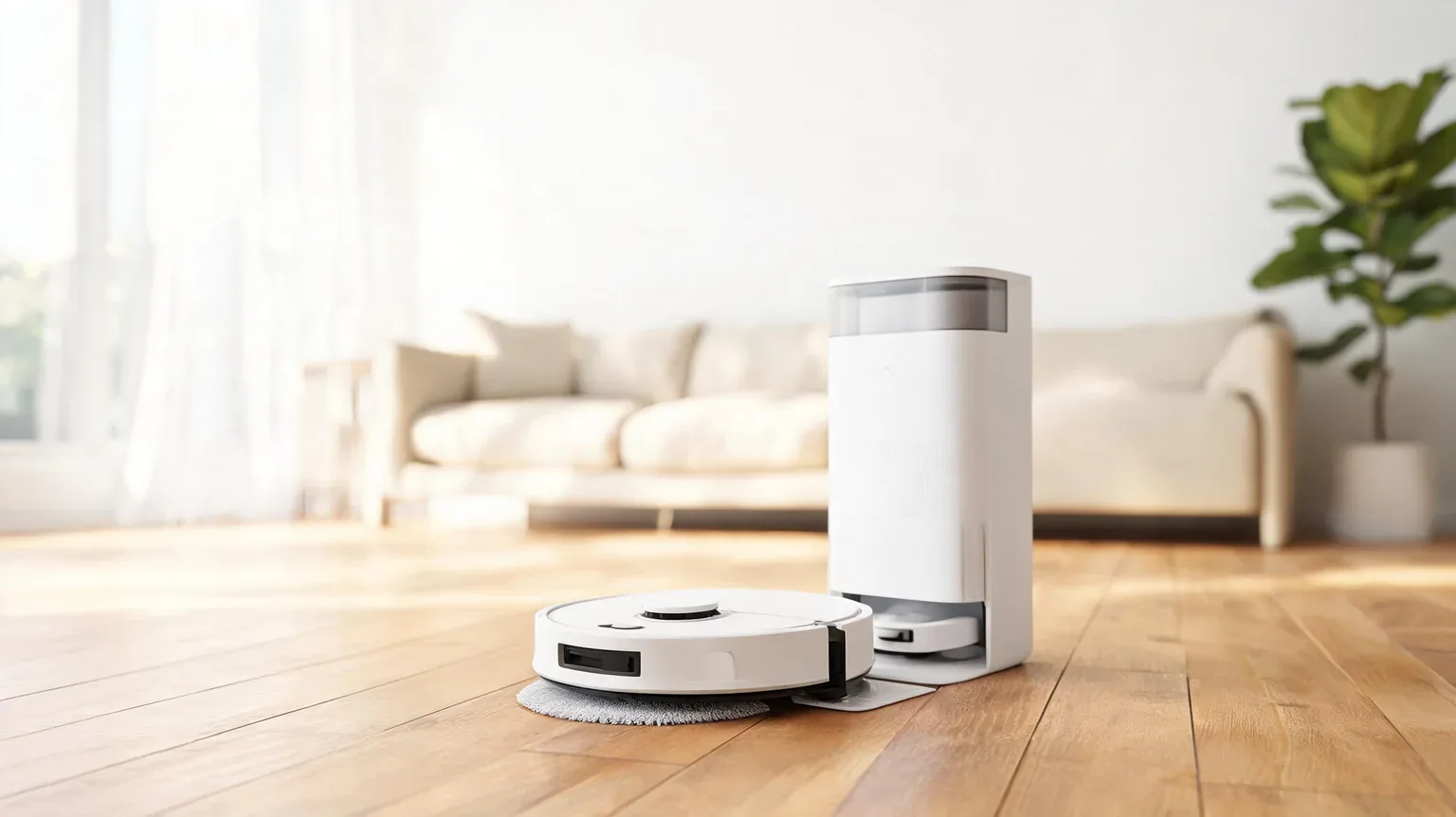
Best robot vacuums in 2026 are not the ones with the biggest suction number on the box – they are the ones that empty themselves for months, map a real home, and are still worth servicing in year three. We re-pulled eight live Amazon listings on September 28, 2026 and compared them on the facts a listing will actually print: price, list price, discount, stock message, published suction, dock capacity, claimed hands-free interval and navigation type. Our picks run from $199.99 to $599.99, and the machine we would hand most pet-owning households is the Shark Stratos at $399.99 – a 360° LiDAR robot with a 60-day base that also self-cleans and refills its own mop. The honest finding is that everything under about $250 now has LiDAR and a self-empty dock; what you pay more for after that is suction you can measure, obstacle avoidance, and a dock that washes the mop so you never touch it.
As an Amazon Associate I earn from qualifying purchases. We earn commission from qualifying purchases made through links on this page. This never affects our rankings or what we recommend.
What this guide covers
- The eight picks compared at a glance
- 1. Shark Stratos Robot Vacuum & Mop Combo – Best Overall
- 2. roborock Qrevo S Pro (2026) – Best for Mopping
- 3. eufy X10 Pro Omni – Best All-in-One Station
- 4. roborock Q10 S5+ – Best Self-Emptying Value
- 5. dreame D20 Pro Plus – Best for Pet Hair
- 6. Shark Matrix Plus (AV2610WA) – Best Under $250
- 7. iRobot Roomba 115X Combo – Best Cheap Brand-Name
- 8. iRobot Roomba Max 715 Pet – Best Premium Pet Pick
- A spec-truth table built from the live listings
- What you get as you pay more
- Where our ranking disagrees with the testers
- The failure patterns owners report
- Claims checked against published guidance
- How to choose a robot vacuum in 2026
- Frequently asked questions
- Our verdict
- How we research and verify this guide
- Related guides
The eight picks compared at a glance
| Product | Standout spec | Price | Track record | Deal |
|---|---|---|---|---|
 Shark Shark Stratos Robot Vacuum & Mop Combo, 60-Day Self-Empty, White, AV2700ZE |
POWERFUL SUCTION ON CARPET & HARD FLOORS: High suction power pulls up dirt, debris, pet hair, a | $399.99 $549.99 |
#1 in Robotic Vacuums |
27% OFF Prime Exclusive In Stock |
 roborock roborock 2026 New Qrevo S Pro Robot Vacuum and Mop, 18,500Pa Suction |
𝗔𝗹𝗹-𝗶𝗻-𝗢𝗻𝗲 𝗗𝗼𝗰𝗸 𝗳𝗼𝗿 𝗛𝗮𝗻𝗱𝘀-𝗙𝗿𝗲𝗲 𝗖𝗹𝗲𝗮𝗻𝗶𝗻𝗴 – The upgraded dock automatically empties dust into a s | $499.99 $699.99 |
— | 29% OFF In Stock |
 eufy eufy X10 Pro Omni Robot Vacuum and Mop, Dual Mops, 12 mm Auto-Lift, White |
【𝐇𝐚𝐧𝐝𝐬-𝐅𝐫𝐞𝐞 𝐀𝐥𝐥-𝐢𝐧-𝐎𝐧𝐞 𝐒𝐭𝐚𝐭𝐢𝐨𝐧】Experience truly hands-free cleaning. The mop pads self-clean wi | $449.99 $699.99 |
— | 36% OFF In Stock |
 roborock roborock Q10 S5+ Robot Vacuum and Mop, 10,000Pa Suction |
𝟳𝟬 𝗗𝗮𝘆𝘀 𝗼𝗳 𝗛𝗮𝗻𝗱𝘀-𝗙𝗿𝗲𝗲 𝗖𝗹𝗲𝗮𝗻𝗶𝗻𝗴 – Enjoy ultimate convenience with the self-emptying station. The | $329.99 $549.99 |
— | 40% OFF In Stock |
 dreame dreame D20 Pro Plus Robot Vacuum and Mop, Detangling DuoBrush for Pet Hair |
150 Days Hands-Free Dust Collection: Enjoy hassle-free self-emptying with the upgraded 5L dust | $303.96 $399.99 |
— | 24% OFF Prime Exclusive In Stock |
 Shark Shark Matrix Plus Robot Vacuum & Mop Combo, 60-Day Self-Emptying, AV2610WA |
HIGH SUCTION POWER & SONIC MOPPING: Ultra-powerful, whole-home cleaning on carpets and hard flo | $229.99 $449.99 |
— | 49% OFF Prime Exclusive In Stock |
 iRobot iRobot Roomba 115X Combo Robot Vacuum & Mop with AutoEmpty Dock, 15,000Pa, Sel |
SELF-EMPTYING FOR UP TO 3 MONTHS, NO MESS — Empties into the AutoEmpty dock; the 2.5 L Allergen | $199.99 $469.99 |
— | 57% OFF Prime Exclusive In Stock |
 iRobot iRobot Roomba Max 715 Pet Robot Vacuum, 30,000Pa Suction, Dual Rubber Anti-Tan |
OUR BEST ROBOT VACUUM BUILT FOR PET HAIR AND BUSY HOMES. Get consistent performance and a deepe | $599.99 $699.99 |
— | 14% OFF In Stock |
Every card and every figure in that table was rebuilt from the live Amazon listing for that exact ASIN on September 28, 2026, through the Amazon product API. Where a figure is missing in the table it is because the listing publishes none – we do not estimate. Note that the Shark Stratos above is the category’s current #1 best seller, and that only one best-seller badge is shown on this page: the API returns a rank for several of these listings inside overlapping sub-categories, and printing all of them would imply a precision the data does not support.
1. Shark Stratos Robot Vacuum & Mop Combo (AV2700ZE) — Best Overall
Best Overall. The Stratos is our pick because it is the only machine on this page that combines a 360° LiDAR map, a self-emptying base and sonic mopping in one $399.99 box. Its NeverTouch base empties the robot into a 60-day bagless bin and also self-cleans and refills the mop, so the routine is a rinse rather than a laundry load. The listing claims sonic mopping at up to 100 scrubs per minute, HEPA filtration, EdgeDetect air blasts that pull debris out of corners, and a self-cleaning brushroll built to resist hair wrap. It is the current #1 best seller in Amazon’s Robotic Vacuums category, and both the live listing rank line and the product API agree on that. $399.99 against a $549.99 list is 27% off.
What We Like
- A 60-day self-emptying base that also self-cleans and refills the mop – the base does the messy part, not you
- 360-degree LiDAR mapping plus EdgeDetect air blasts for corners and edges
- Sonic mopping the listing claims scrubs hard floors up to 100 times per minute
- Self-cleaning brushroll and anti-hair-wrap design aimed at the single most common robot vacuum complaint
- The current #1 best seller in Amazon’s Robotic Vacuums category at $399.99 against a $549.99 list price
Flaws but not dealbreakers
- Shark publishes no suction figure in pascals for this model, so it cannot be compared to the Pa-rated picks below on that number
- A bagless base means you tip dust into the bin yourself; the sealed-bag docks here are cleaner to service
- The mop is a vibrating sonic pad, not a rotating or roller mop, so dried-on stains still need a second pass
Who should not buy it. Skip it if you want the dock to wash and dry the mop pads for you – the eufy X10 Pro Omni below is the pick that does that.
2. roborock Qrevo S Pro (2026) — Best for Mopping
Best for Mopping. Roborock’s 2026 Qrevo S Pro pairs the highest published suction on this page – 18,500 Pa – with an all-in-one dock that empties dust into a sealed 2.7 L bag, and a zero-tangle side brush plus all-rubber main brush aimed squarely at pet hair and long hair. The robot itself is 3.8 inches tall, which is the lowest profile here, so it gets under more furniture than the iRobot and Shark machines. SmartPlan 2.0 adjusts suction and mopping per room automatically, and the listing includes a per-room carpet strategy that boosts suction and lifts the mop on rugs. $499.99 against a $699.99 list is 29% off.
What We Like
- 18,500 Pa is the highest published suction figure of the eight picks here
- Sealed 2.7 L dock bag – you swap a bag, you do not tip a dust bin
- Zero-tangle side brush and all-rubber main brush for pet and long hair
- 3.8-inch body height, the lowest here, plus a per-room carpet strategy that lifts the mop on rugs
- Roborock SmartPlan 2.0 adapts suction and mopping room by room without you re-programming it
Flaws but not dealbreakers
- The listing specifies 2.4 GHz Wi-Fi only, the most common cause of first-night pairing failures
- The dock bag is a consumable you will buy again; the listing does not bundle spares
- Roborock does not publish a mop-washing or drying spec in this listing’s copy, so we will not claim one
Who should not buy it. Skip it if your home is mostly carpet with little hard flooring – you would be paying for a mop system you rarely deploy.
3. eufy X10 Pro Omni — Best All-in-One Station
Best All-in-One Station. The X10 Pro Omni is the pick for people who want the dock to do the worst jobs. Its station self-cleans the mop pads with fresh water, and the robot lifts those pads 12 mm for carpet, so a single run can mop the kitchen and vacuum the rug without dragging a wet pad across it. AI.See obstacle avoidance is rated by the listing for over 100 object types, AI.Map 3.0 handles no-go zones and virtual boundaries, and the Pro-Detangling roller brush is built to stop hair wrapping. Suction is a published 8,000 Pa. At $449.99 against a $699.99 list it is 36% off.
What We Like
- Dock self-cleans the mop pads with fresh water – the only pick here that washes its own mops
- 12 mm automatic mop lift for carpets, so one run can vacuum rugs and mop hard floors
- AI.See avoidance rated by the listing at over 100 object types, plus no-go zones and virtual boundaries
- Pro-Detangling roller brush and an iPath laser navigation map
- 36% off a $699.99 list price
Flaws but not dealbreakers
- 8,000 Pa is the lowest published suction of the three station-class picks here
- 2.4 GHz Wi-Fi only, and the listing explicitly warns against vacuuming standing water
- Self-washing pads are not the same as self-drying ones; check the current listing copy before you assume a dry cycle
Who should not buy it. Skip it if raw suction is your deciding number – the roborock above publishes more than twice this figure for $50 more.
4. roborock Q10 S5+ — Best Self-Emptying Value
Best Self-Emptying Value. The Q10 S5+ is the value pick: a 2.7 L dust bag rated for 70 days of hands-free emptying, PreciseSense LiDAR mapping, ReactiveTech structured-light obstacle avoidance, and a VibraRise 2.0 dual-zone sonic mop that lifts automatically on carpet detected by ultrasonic sensors. Suction is a published 10,000 Pa, and the main brush uses a JawScrapers comb design with an anti-tangle side brush. At $329.99 against a $549.99 list it is 40% off – the biggest discount on this page in dollar terms after the Roomba 115X.
What We Like
- 40% off: $220 below the $549.99 list price, the best value among the self-emptying picks
- 70-day, 2.7 L dust bag interval, so the dock stays hands-off for over two months
- PreciseSense LiDAR mapping plus ReactiveTech obstacle avoidance in the mid tier
- VibraRise 2.0 dual-zone sonic mop with ultrasonic carpet detection and automatic mop lift
- JawScrapers comb main brush and anti-tangle side brush for hair
Flaws but not dealbreakers
- 10,000 Pa sits mid-pack here – half the premium iRobot and above only the eufy station pick
- 2.4 GHz Wi-Fi only
- The dock empties dust but does not wash the mop; you still rinse the pad yourself
Who should not buy it. Skip it if you need mop-pad washing at the dock, or if your home is large enough that a 2.7 L bag will not actually last the advertised 70 days.
5. dreame D20 Pro Plus — Best for Pet Hair
Best for Pet Hair. The D20 Pro Plus is built around hair: a Detangling DuoBrush, an extendable side brush that reaches into corners and gaps, and 13,000 Pa of Vormax suction, all drained into a 5 L dust bag the listing rates for 150 days of hands-free cleaning – the longest interval on this page by a wide margin. It vacuums and mops in one pass with adjustable moisture and suction, and Smart Pathfinder mapping handles the route while structured-light obstacle avoidance steers around clutter. $303.96 against a $399.99 list is 24% off, making it the cheapest dock-equipped machine here.
What We Like
- A 5 L dust bag rated for 150 days – the longest hands-free interval of the eight picks
- Detangling DuoBrush plus an extendable side brush for pet hair and corners
- 13,000 Pa suction at $303.96, the lowest price of any self-emptying pick here
- Vacuums and mops in one pass with adjustable moisture for different flooring
- Smart Pathfinder mapping with structured-light obstacle avoidance
Flaws but not dealbreakers
- The listing states USA use only, so this is not the pick for a non-US address
- 2.4 GHz Wi-Fi only
- No dock-based mop washing, and the listing does not publish a filtration rating
Who should not buy it. Skip it if you are outside the United States – the listing explicitly restricts this model to USA use.
6. Shark Matrix Plus Robot Vacuum & Mop Combo (AV2610WA) — Best Under $250
Best Under $250. The Matrix Plus drops the price without dropping the LiDAR map or the self-empty base. It navigates with 360° LiDAR, cleans in a precision matrix grid with repeat passes instead of one lazy sweep, and ships with an XL HEPA self-empty base the listing says holds up to 60 days of debris and captures 99.97% of dust and allergens down to 0.3 microns. Sonic mopping is claimed at 100 scrubs per minute, and CleanEdge Detect uses air blasts to pull debris from corners. At $229.99 against a $449.99 list it is 49% off.
What We Like
- 49% off: the largest percentage discount on this page at $220 below list
- 360-degree LiDAR mapping and matrix-grid repeat passes at a sub-$250 price
- XL self-empty base rated for 60 days, with a True HEPA filtration claim of 99.97% down to 0.3 microns
- CleanEdge Detect corners and edges, plus a self-cleaning brushroll for pet hair
- Two reusable microfiber mopping pads included
Flaws but not dealbreakers
- A bagless base: you empty the bin rather than swap a sealed bag
- Shark publishes no Pa suction figure for this model
- Sonic pad mopping, not a rotating mop, and no dock-based pad washing
Who should not buy it. Skip it if you want a sealed allergen bag at the dock – that is the whole point of the Roomba 115X Combo and the station-class picks above.
7. iRobot Roomba 115X Combo with AutoEmpty Dock — Best Cheap Brand-Name
Best Cheap Brand-Name. If you want a name-brand robot with a self-emptying dock for under $200, this is the one. The AutoEmpty dock holds a 2.5 L AllergenLock bag rated for up to 90 days, ClearView LiDAR maps in low light and steers around shoes and cables, and the robot vacuums and mops in one pass with a washable microfiber pad that is smart enough to avoid mopping carpet. iRobot publishes 15,000 Pa of suction, four suction levels, three mopping modes and an anti-hair-wrap brush design. At $199.99 against a $469.99 list it is 57% off – the single biggest saving here.
What We Like
- 57% off a $469.99 list – $270 below list, the biggest saving of the eight picks
- A 2.5 L AllergenLock bag at the dock, rated up to 90 days hands-free
- ClearView LiDAR mapping that the listing says works in low light, plus automatic carpet-avoidance for mopping
- 15,000 Pa published suction with four suction levels and three mopping modes (SmartScrub claims 2x deeper mopping)
- Anti-hair-wrap brush design and a washable mop pad rather than a consumable
Flaws but not dealbreakers
- The pad is laundered by hand, and the listing puts filter and brush replacement at every three to six months
- LiDAR-only navigation: there is no camera-based obstacle-avoidance layer, unlike the premium iRobot below
- No dock-based mop washing or drying at this price
Who should not buy it. Skip it if you have pets that leave accidents or a lot of floor clutter – camera-based obstacle avoidance, not LiDAR alone, is what steers around those.
8. iRobot Roomba Max 715 Pet — Best Premium Pet Pick
Best Premium Pet Pick. The Max 715 Pet is the most powerful vacuum on this page on paper: 30,000 Pa, dual rubber anti-tangle brushes plus an anti-tangle edge-sweeping brush, a PrecisionVision AI obstacle-avoidance layer on top of ClearView Pro LiDAR 3D mapping, and an AutoEmpty dock rated for up to 90 days of hands-free cleaning with Advanced Dirt Detect that re-cleans the messiest zones. It is also the one pick here that vacuums only – there is no mop. At $599.99 against a $699.99 list it is 14% off, the smallest discount on the page.
What We Like
- The highest published suction here at 30,000 Pa, twice the roborock Qrevo S Pro’s headline figure
- PrecisionVision AI obstacle avoidance layered on ClearView Pro LiDAR 3D mapping
- Dual rubber anti-tangle brushes plus an anti-tangle edge-sweeping brush for full edge coverage
- Advanced Dirt Detect re-cleans high-traffic and high-mess zones automatically
- Up to 90 days of hands-free emptying into the AutoEmpty dock
Flaws but not dealbreakers
- Vacuum only – there is no mopping function on this model at all
- The smallest discount on the page at 14% off, and the highest price at $599.99
- iRobot does not publish a HEPA or allergen-capture percentage for this dock in the listing copy
Who should not buy it. Skip it if you want one machine to mop as well as vacuum – you would need the 115X Combo or a station-class pick alongside it.
A spec-truth table built from the live listings
| Model | Live price | Published suction | Dock / capacity | Claimed hands-free | Mopping | Navigation | Filtration claim |
|---|---|---|---|---|---|---|---|
| Shark Stratos (AV2700ZE) | $399.99 | Not stated | Bagless NeverTouch base, self-clean + refill | 60 days | Sonic pad (100x/min claim) | 360° LiDAR | HEPA (listing claim) |
| roborock Qrevo S Pro | $499.99 | 18,500 Pa | Sealed 2.7 L bag dock | Not stated | Vibrating mop | LiDAR + obstacle detection | Not stated |
| eufy X10 Pro Omni | $449.99 | 8,000 Pa | Self-washing mop station | Not stated | Dual mops, 12 mm lift | iPath laser | Not stated |
| roborock Q10 S5+ | $329.99 | 10,000 Pa | 2.7 L dust bag | 70 days | VibraRise 2.0 dual-zone sonic | PreciseSense LiDAR | Not stated |
| dreame D20 Pro Plus | $303.96 | 13,000 Pa | 5 L dust bag | 150 days | 2-in-1 mop, adjustable moisture | Smart Pathfinder | Not stated |
| Shark Matrix Plus (AV2610WA) | $229.99 | Not stated | XL bagless base | 60 days | Sonic pad (100x/min claim) | 360° LiDAR | True HEPA, 99.97% to 0.3 microns (claim) |
| Roomba 115X Combo | $199.99 | 15,000 Pa | 2.5 L AllergenLock bag | 90 days | Washable microfiber pad | ClearView LiDAR | AllergenLock bag |
| Roomba Max 715 Pet | $599.99 | 30,000 Pa | AutoEmpty dock | 90 days | None (vacuum only) | ClearView Pro LiDAR + AI | Not stated |
Three things fall out of this table that no single product page will tell you. First, suction is published for six of the eight machines and withheld for two, and the range runs from 8,000 Pa to 30,000 Pa – a 3.75x spread that no standard test protocol sits behind, because none of these listings cites one. Second, the “hands-free” interval is really a bin-size claim: 60, 70, 90 and 150 days are dock capacities divided by an assumed daily pick-up, and the 5 L dreame bag is the only reason it leads that column. Third, the cheapest machine with a LiDAR map and a self-empty dock is $199.99 – so navigation and self-emptying are no longer premium features in 2026, and paying more buys suction, obstacle avoidance, mop maintenance and dock capacity instead.
What you get as you pay more
Four brackets on this page, and what each one actually changes:
- Under $250 – LiDAR and a self-empty dock, nothing else. The $199.99 Roomba 115X Combo and the $229.99 Shark Matrix Plus both bring a 360°-class LiDAR map, a 60-90 day dock and a mop pad you rinse by hand. This is the bracket where the price-to-capability ratio is best, and for a hard-floor apartment it is genuinely all you need.
- $250-$350 – dock capacity and mop technology. The $303.96 dreame D20 Pro Plus brings the longest hands-free interval here (150 days, 5 L) plus a detangling brush; the $329.99 roborock Q10 S5+ adds structured-light obstacle avoidance and a dual-zone sonic mop. You are buying fewer dock visits and better mopping, not more suction – both publish 10,000-13,000 Pa, mid-pack on this page.
- $400-$500 – the automation bracket. Here you get the Shark Stratos’s self-cleaning, self-refilling base at $399.99, the eufy X10 Pro Omni’s self-washing mop pads at $449.99, or roborock’s 18,500 Pa and sealed-bag dock at $499.99. This is the band where the everyday annoyance – touching a wet mop, tipping dust into a bin – actually goes away.
- $600 – suction and avoidance, minus the mop. The $599.99 Roomba Max 715 Pet is the only 30,000 Pa machine here and the only one with a camera-based AI obstacle-avoidance layer, and it is also vacuum-only. You are paying for carpet deep-cleaning and pet-mess avoidance, not for hands-free mopping.
The stopping point is around $450-$500. Below it, every step up buys something concrete: a longer dock interval, a better mop, a self-cleaning base. Above it, the returns narrow fast – the jump from 18,500 Pa to 30,000 Pa costs $100 more and loses mopping entirely, and the jump from $399.99 to $499.99 buys a sealed bag and a taller suction number rather than a different cleaning result on an average floor. And the cost none of these listings puts next to the price is the running one: dock bags, filters and brushes are consumables, and the Roomba 115X listing is unusually honest in putting filter and brush replacement at every three to six months. Over three years that consumable line is the difference between two of these machines.
Where our ranking disagrees with the testers
Two independent review teams test this category with hardware in hand, and neither crowns our #1. That is worth stating plainly rather than hiding.
- Reviewed. Reviewed’s robot vacuum guide, updated October 2025 by Jonathan Chan, Gabriel Morgan and Leigh Harrington, names the iRobot Roomba Max 705 Vac + AutoEmpty Dock as its best robot vacuum overall, the Dyson 360 Vis Nav as the upgrade pick and the iRobot Roomba 105 Vac as best value – and notes of a cheaper Roomba that it “picked up 11 grams of debris per run (more than our best overall)”. We rank the Shark Stratos above every iRobot here, and we rank the closest live Amazon iRobot we could verify – the Roomba Max 715 Pet – eighth rather than first. Our reason is price-per-capability, not the hardware: at $399.99 the Stratos pairs LiDAR, a self-emptying base and a self-cleaning mop with the category’s #1 best-seller rank, while the Max 715 Pet costs $200 more, cannot mop, and carries the smallest discount on this page. Reviewed’s own measured point – that debris pickup, not the spec sheet, is what separates these machines – is exactly why we put a $199.99 LiDAR machine in seventh place rather than last.
- Popular Science. PopSci’s robot vacuum guide picks the eufy BoostIQ RoboVac 30C MAX as its best smart pick, the Roborock S7 MaxV Ultra as its vacuum-and-mop favourite, and the iRobot Roomba s9+ as best self-emptying – and it says it compared more than 50 models on price, features, mapping and owner reviews rather than running a lab protocol. Its winners are mostly older generations now superseded on Amazon by cheaper LiDAR machines, which is the single biggest reason we do not rank a 2021-2023 flagship at the top of a 2026 list: the $199.99 Roomba 115X Combo on this page has a LiDAR map and a 90-day dock that the s9+ generation did not, for a third of the launch price.
- Our own disagreement with the category’s framing. Almost every roundup leads with the most powerful machine. We lead with the best balance and put the 30,000 Pa vacuum eighth, because Pa ratings are manufacturer numbers with no shared test method – six of our eight listings publish one and none publishes how it was measured. That is a ranking choice, not a measurement, and it is fairer to say so.
The failure patterns owners report
These are recurring themes in the review summaries Amazon publishes on these listings and in the testers’ write-ups – reported as patterns, not as measured failure rates. We have not run a longevity test, and none of these manufacturers publishes one.
- Hair wrapping the brushroll is the single most repeated complaint in this category, and the tell is on the listings themselves: every one of the eight picks advertises an anti-tangle, detangling or self-cleaning brush design. If a feature is universal at eight different price points, it is answering a problem rather than inventing one.
- App and Wi-Fi pairing is the most common first-night failure, and four of these eight listings specify 2.4 GHz Wi-Fi only. A robot that will not join a 5 GHz network is not defective – it is a robot that needs a 2.4 GHz band, and that detail usually sits in the fine print, not the headline.
- Getting stuck is the classic mid-life complaint: rug fringes, dark floors that confuse a cliff sensor, tall thresholds and cable tangles. The counter-features to look for are exactly the ones these listings sell – AutoLift, carpet detection and structured-light or camera avoidance – which tells you what buyers hit.
- Dock maintenance creeps up. Bagless bases mean tipping dust out with a puff of fine particles; sealed bags mean buying bags; self-washing mops still need the waste-water tank emptied. None of that is a defect, but it is a chore the marketing copy does not schedule for you.
- Consumable cost is the recurring regret in reviews of self-emptying machines in particular. Bags, filters, side brushes and main brushes are all wear items, and one listing here puts filter and brush replacement at three to six months. An $199.99 machine with a $40-a-year consumable habit can cost more over three years than its sticker suggests.
- Mop “self-cleaning” deserves the closest reading. Only one pick here (the eufy X10 Pro Omni) self-washes its pads at the dock; the rest either need a hand rinse or do not mop at all. Washing is not drying, and the listing copy is where that distinction lives.
Claims checked against published guidance
Every listing here leads with numbers. Here is what published guidance and the listings’ own footnotes actually support – and where a claim is doing marketing rather than measuring.
- “Captures 99.97% of dust and allergens down to 0.3 microns.” That is the standard HEPA efficiency threshold and the Shark Matrix Plus listing claims it for its base filter. What it is not is allergy treatment. The American Lung Association notes that dust mite allergens “do not usually stay in the air” – they settle quickly into bedding, mattresses, upholstered furniture, carpets and curtains, and “most exposure to dust mite allergens occurs while sleeping.” A floor robot can reduce what is on the floor; it cannot vacuum a mattress or a duvet, so read the HEPA badge as a floor-cleaning upgrade rather than an allergen-control programme.
- The pascal arms race. 8,000 Pa to 30,000 Pa across eight listings looks like a spec war, but no listing here publishes the test method behind its figure and none of the eight cites a shared standard. Treat Pa as a manufacturer’s own number: useful for comparing two machines from the same brand, unreliable for comparing two brands, and useless for predicting how much pet hair comes off a mid-pile rug.
- “Hands-free for 60 / 70 / 90 / 150 days.” These are dock-capacity claims, not performance guarantees. They assume a certain floor area and a certain amount of dust per run; a 2.7 L bag and a 5 L bag do not empty themselves at the same rate on the same floor. If your home is bigger or hairier than the assumption, expect the interval to shrink.
- As for the breathing angle, start with the medicine. The NHLBI describes asthma as a chronic condition affecting 1 in 13 Americans and lists pollen, exercise, viral infections and cold air among the triggers – and its guidance is monitoring, avoiding triggers and using medicines. Nothing on this page replaces that, and no robot vacuum on the market is a treatment for asthma or allergy.
- What the warranty actually says. One thing the FTC is unusually clear about, in its Businessperson’s Guide to Federal Warranty Law, is that a “limited” warranty is a real legal category with real limits, that implied warranties under state law cannot simply be disclaimed, and that the Magnuson-Moss Act governs how written warranties must be labelled. Practically: read whether your machine carries a full or limited warranty before you buy, keep the receipt, and be sceptical of any term that conditions cover on buying the manufacturer’s own bags or filters.
How to choose a robot vacuum in 2026
Start with the floor, not the suction number
If your home is mostly hard flooring with a couple of rugs, a $199.99-$229.99 LiDAR machine will do the job and a $600 30,000 Pa vacuum buys you margin you will not notice. If it is mostly mid-pile carpet, the calculation flips: suction and brush design start to matter, and that is where the premium picks earn their price.
Decide whether you will actually maintain a mop
A self-washing dock (the eufy X10 Pro Omni here) is worth its premium only if you will keep the waste-water tank clean – a dirty drying dock is worse than a wet pad. If you know you will not, buy a hand-rinse mop like the $199.99 Roomba 115X Combo and accept the 60 seconds of laundry.
Check the Wi-Fi fine print before you buy
Four of our eight picks specify 2.4 GHz only. If your router broadcasts a single merged network, find out how to split a 2.4 GHz band before the robot arrives – this is the most avoidable, most common complaint in the category.
Budget the consumables, not just the machine
Bags, filters and brushes recur every few months. A cheap self-emptying robot with sealed bags you cannot source inexpensively can end up costing more across three years than a bagless base you tip into the bin yourself. Both the Shark picks here are bagless; both roborock picks and the dreame use bags.
Ignore feature counts you cannot use
A cleaning mode you will never schedule, or a voice assistant you do not own, is not value – it is menu clutter on an app you open once a month. Buy for the floor you have, the floor you have the patience to maintain, and the dock you will genuinely service.
Frequently asked questions
1. Are robot vacuums worth it in 2026?
For hard floors and low-pile carpet, yes – and the bar has moved down-market. Three of the eight picks here cost under $250 and still bring a LiDAR map and a self-emptying dock rated for 60-90 days. What a robot does not replace is a full-size vacuum on mid-pile and deep-pile carpet, and it does not clean stairs, sofas or mattresses.
2. What suction power do I actually need?
More pascals is better on carpet, but the number is not the whole story and it is not a standardised one: six of our eight listings publish a Pa figure and none publishes the test method behind it. On hard floors, 8,000 Pa machines in this guide clean as visibly as the 30,000 Pa one; on carpet, brush design and repeat passes matter as much as the headline figure.
3. How long does a self-emptying dock really last?
The 60 / 70 / 90 / 150-day figures on this page are dock-capacity claims, not guarantees. They assume an average floor and an average amount of dust. If your home has pets, long hair or a bigger floor area than the assumption, expect to change the bag or empty the bin sooner – the bag or bin is simply a volume.
4. Do I need a robot vacuum that mops?
Only if your home is mostly hard flooring. Mopping robots here fall into three tiers: a hand-rinseable microfiber pad (Roomba 115X Combo), a sonic or vibrating pad that lifts on carpet (Shark Stratos, Matrix Plus, roborock Q10 S5+, Qrevo S Pro), and a self-washing dock with dual mops (eufy X10 Pro Omni). The last one is the only genuinely hands-off option, and the Roomba Max 715 Pet does not mop at all.
5. Will a robot vacuum help with allergies or asthma?
It can reduce the dust and dander sitting on floors, and a HEPA-claim base keeps what it captures in the bin. But the American Lung Association notes that dust mite allergens settle into bedding, mattresses, upholstery and curtains and that most exposure happens while you sleep – so a floor robot is a floor-cleaning tool, not an allergy treatment. Asthma is a medical condition and its management belongs with a clinician.
6. Why do so many of these say 2.4 GHz Wi-Fi only?
Because the radios in these robots are cheap and long-range rather than fast, and 2.4 GHz travels further through walls. The practical fix is to split a 2.4 GHz band on your router before setup. It is the most common cause of first-night pairing failure and it is a configuration issue, not a defect.
7. What does the warranty actually cover?
Look at whether it is a full or limited warranty, and what it conditions cover on. The FTC’s guidance on federal warranty law sets out how written warranties must be labelled and makes clear that implied warranties cannot simply be disclaimed – so keep your receipt, register the machine, and treat any term requiring the manufacturer’s own bags and filters as a term worth questioning.
Our verdict
Buy the Shark Stratos if you want one machine and no second thoughts. At $399.99 it is the category’s current #1 best seller, it maps with 360° LiDAR, its base empties and cleans and refills itself for 60 days, and it handles both floors. Buy the roborock Qrevo S Pro if highest published suction and the cleanest dock servicing matter most – 18,500 Pa and a sealed 2.7 L bag at $499.99. Buy the eufy X10 Pro Omni if you refuse to touch a mop; it is the only pick that washes its own pads. Buy the dreame D20 Pro Plus or the roborock Q10 S5+ if you want 70-150 days between dock visits for under $350 – the best value in this guide. And if the budget is $200, buy the Roomba 115X Combo: LiDAR, a 90-day bag, and 57% off list for the price of a mid-range stick vacuum. Whatever you choose, pick it for the floor you actually have and the maintenance you will actually do – and if allergies are the reason you are shopping, remember a robot cleans floors, not mattresses.
How we research and verify this guide
This page was rebuilt on September 28, 2026. Every product card and every figure in the comparison and spec tables was re-pulled from the live Amazon listing for that exact ASIN on that date – price, list price, discount, stock message, published suction, dock capacity, claimed hands-free interval, mop type, navigation and the listing’s own filtration claim. The failure patterns in the section above are taken from the review themes Amazon publishes on those listings and from the testers’ written reviews, not from a test we ran.
Sourcing transparency: we are not a lab and we did not run a single robot vacuum. We did not measure suction, pickup, noise or durability, we did not run a longevity test, and we did not weigh the dust either. What this guide does is verify live listing facts, then set the marketing claims against published guidance and independent testing. The sources we lean on are the American Lung Association on how dust mite allergens behave in a home and the NHLBI on asthma triggers for the health claims; the FTC’s Businessperson’s Guide to Federal Warranty Law for how warranty labelling works; Reviewed, whose vacuums team tests robot vacuums hands-on and updates a 2026 guide (we cite its published picks and its measured debris-pickup point); and Popular Science, whose roundup compares more than 50 models on specification, owner reviews and added features rather than lab testing – we say so because the difference matters when you read its verdicts. Where those sources disagree with our ranking we set that out above rather than bury it. Prices and stock are a September 28, 2026 snapshot and change constantly; stock messages in particular move hourly, and the live listing is always the final word. Our full process – including what we explicitly do not claim – is documented on how we test and choose products, corrections go to our contact page, and our affiliate disclosure explains how this site is funded.
Related guides
- Best Robot Vacuums for Carpet in 2026 — the same category with the suction question pushed to the front
- 7 Best Cordless Vacuums of 2026 — for stairs, cars and everything a robot cannot reach
- 7 Best Stick Vacuums of 2026 — the manual half of a robot vacuum setup
- 7 Best Air Purifiers of 2026 — if airborne allergens rather than floor dust are your problem
- 7 Best Humidifiers of 2026 — humidity is the strongest lever on dust mites in a home