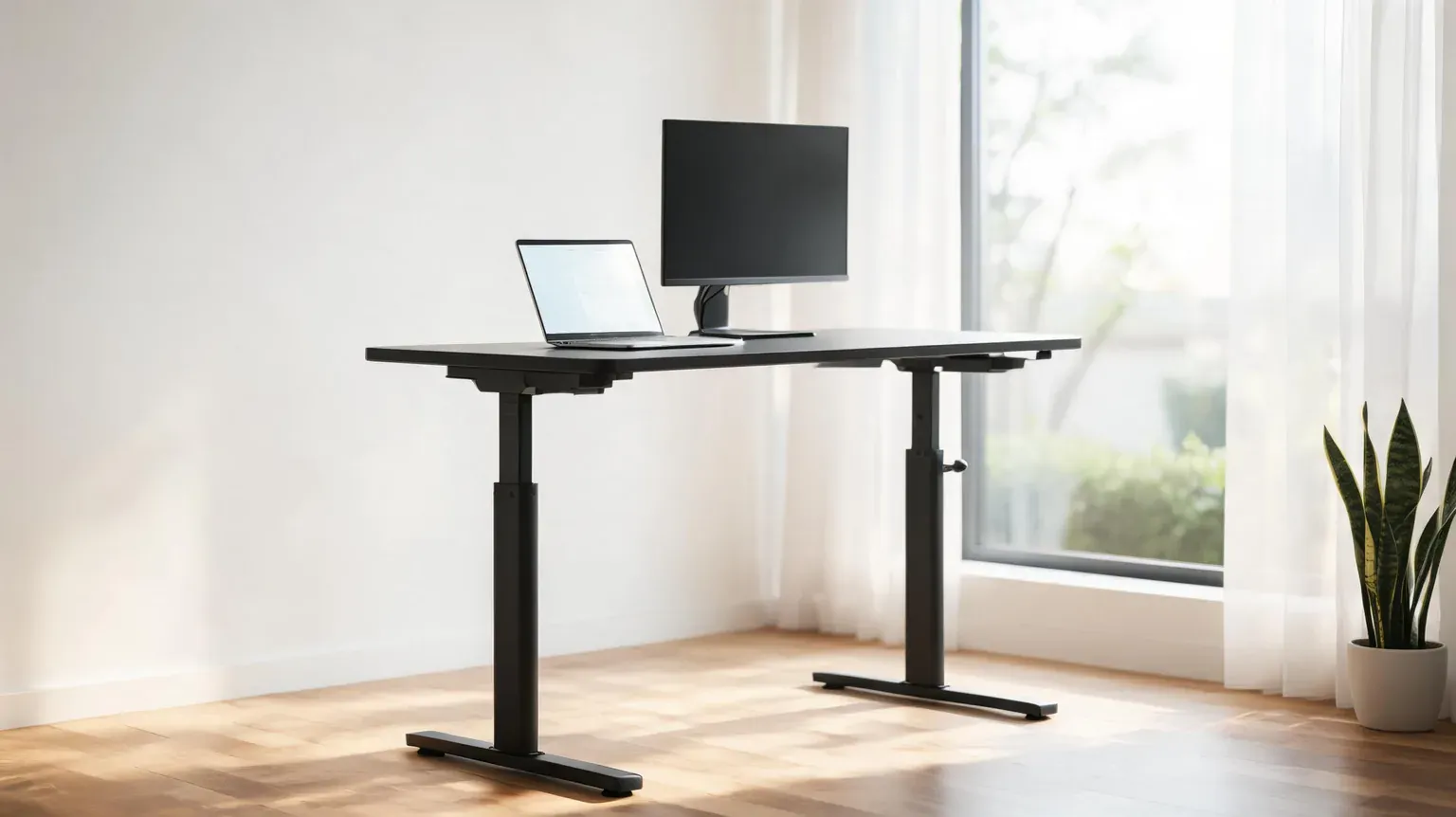
A laptop stand is what makes a standing desk actually work: raising the desk does nothing for your neck if the screen stays eighteen inches below your eyes. We re-checked seven stands sold on Amazon, verified every listing and price on September 22, 2026, and cross-checked the heights against two ergonomics standards – one government, one university – to work out which stands suit a standing desk and which only suit a fixed one.
Affiliate disclosure: As an Amazon Associate I earn from qualifying purchases. We earn commission from qualifying purchases made through links on this page. This never affects our rankings or what we recommend.
What to look for in a laptop stand for a standing desk
Four things decide whether a stand works once the desk goes up, and only one of them is on the box.
Height, not just tilt
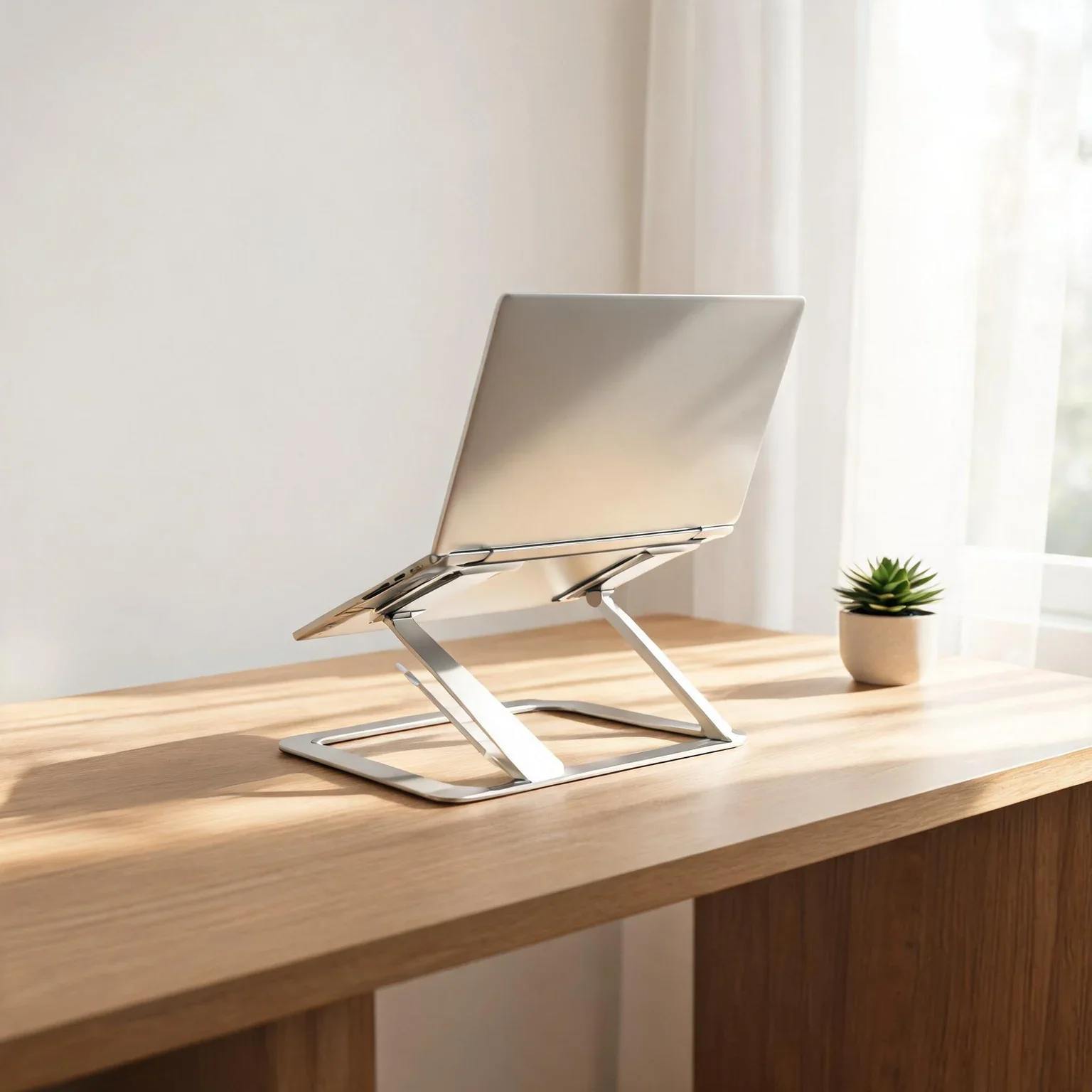
Most cheap stands only tilt the laptop forward. That is enough at a fixed sitting desk; it is not enough at a standing desk, where the keyboard drops away from you as the desk rises. Cornell University’s ergonomics guidance puts the target at the centre of the screen sitting around 17.5 degrees below eye level, with your eyes roughly level with the top of the viewing area and the screen about an arm’s length away. A tilt-only stand cannot reach that once you are standing. Look for a published height range, not just “adjustable”.
Rigidity beats adjustability if you type on the laptop
Cornell’s first rule for the work surface is blunt: it should be “a stable working surface (nothing that wobbles)”. Every articulated stand trades some rigidity for range, and the trade gets worse the higher you extend it. If you type on the laptop’s own keyboard, a rigid fixed stand is the better ergonomic choice; if you use an external keyboard, a wobbly stand matters far less.
Open lid or closed lid changes what you must buy
An open-lid stand raises the laptop you are actually looking at. A closed-lid vertical stand only works if you already own an external monitor and keyboard, because the laptop screen is doing nothing. Budget for that before you buy the stand, not after.
Laptops are a compromise – a stand only fixes half of it
Cornell is direct about the hardware: “laptop design inherently is problematic – when the screen is at a comfortable height and distance the keyboard isn’t and vice versa”, and for sustained use you should add an external monitor, an external keyboard with a negative tilt, or both. OSHA’s workstation eTool makes the same point from the other direction – elbows bent between 90 and 120 degrees, head level and forward-facing – and adds that sitting still for long periods is unhealthy whatever your posture, so standing part of the day is worth doing in itself.
Quick comparison: all seven stands, live prices
| Stand | Height / raise | Material | Live price | Link |
|---|---|---|---|---|
Nulaxy Fully Adjustable Laptop Stand Best overall for standing desks | adjustable, folds flat | aluminium + silicone | $19.99 $23.99 | Check price → |
Rain Design mStand Laptop Stand Best fixed-height build quality | 5.9 in, fixed | forged aluminium | $38.99 | Check price → |
BoYata Adjustable Laptop Stand Best mid-price height adjustment | 3.9 to 7.4 in | 3 mm steel plates | $29.99 | Check price → |
Lamicall Aluminum Laptop Stand Best for 17-inch laptops | adjustable | aluminium alloy | $28.99 $35.99 | Check price → |
Twelve South Curve Laptop Stand Best premium MacBook stand | 6 in, fixed | aluminium | $59.95 | Check price → |
Soundance Aluminum Laptop Riser Best budget fixed stand | 6 in, fixed | 5 mm aluminium | $17.99 | Check price → |
OMOTON Dual Vertical Laptop Stand Best space-saver (closed lid) | vertical, no raise | anodised aluminium | $32.99 | Check price → |
Spec truth: what the listings do not publish
We read every listing line by line on September 22, 2026. The table below is what each one actually claims – and, in the last column, the specification each one quietly leaves out. Only three of the seven publish any load figure at all, and not one publishes a warranty length on the product page.
| Stand | Stated load | Height | Build | Never published |
|---|---|---|---|---|
| Nulaxy Fully Adjustable Laptop Stand | 22 lbs | adjustable, folds flat | aluminium + silicone | the height range in inches, and the warranty length |
| Rain Design mStand Laptop Stand | not stated | 5.9 in, fixed | forged aluminium | any load rating at all |
| BoYata Adjustable Laptop Stand | 11 lbs | 3.9 to 7.4 in | 3 mm steel plates | a height tolerance and a warranty length |
| Lamicall Aluminum Laptop Stand | not stated | adjustable | aluminium alloy | a load rating anywhere on the listing |
| Twelve South Curve Laptop Stand | not stated | 6 in, fixed | aluminium | a load rating, or a laptop thickness range |
| Soundance Aluminum Laptop Riser | 8.8 lbs | 6 in, fixed | 5 mm aluminium | a warranty length |
| OMOTON Dual Vertical Laptop Stand | not stated | vertical, no raise | anodised aluminium | a load rating per slot |
1. Nulaxy Fully Adjustable Laptop Stand – Best overall for standing desks

What We Like
- Adjustable height and angle, so one stand covers sitting and standing
- Folds down small enough for a laptop bag or a desk drawer
- Rated to 22 lbs, comfortably above the 5-8 lbs a 15-inch laptop weighs
- The least expensive adjustable stand in this roundup
What Could Be Better
- Shakes when you type on the raised laptop keyboard
- TechGearLab notes the stand it tested has no cable management
Best for: Standing desks where the screen, not the keyboard, has to move with you. Skip it if you type on the laptop's own keyboard all day – a rigid stand is steadier.
2. Rain Design mStand Laptop Stand – Best fixed-height build quality

What We Like
- Single piece of forged aluminium, with no joints to loosen or rattle
- Raises the screen 5.9 inches, close to the ergonomic target for most desks
- Two-inch cable hole at the back and storage space for a keyboard underneath
- TechGearLab's best overall laptop stand after testing eight models
What Could Be Better
- No adjustment at all
- Fits laptops with a depth under 10.4 inches, so it is MacBook-first
- The most expensive fixed stand here
Best for: A MacBook that never leaves one desk. Skip it if you move between sitting and standing and need the screen to move with you.
3. BoYata Adjustable Laptop Stand – Best mid-price height adjustment

What We Like
- Height adjusts from 3.9 to 7.4 inches
- Two 3 mm steel base plates keep the footprint planted
- Rated to 11 lbs with four rubber contact pads
What Could Be Better
- Changing the height needs both hands
- The listing publishes no height tolerance and no warranty length
Best for: Mixed sitting and standing days on a fixed-height desk. Skip it if you want a stand that folds flat into a bag.
4. Lamicall Aluminum Laptop Stand – Best for 17-inch laptops

What We Like
- Fits laptops from 10 to 17.3 inches, the widest range here
- Adjustable height and angle on an upgraded, heavier base
- Aluminium build with silicone pads on the contact points
What Could Be Better
- Heavier than the folding stands, so it stays on the desk
- No load figure is published at the 17.3 inch end of its range
Best for: 17-inch and gaming laptops. Skip it if every ounce matters in your carry-on.
5. Twelve South Curve Laptop Stand – Best premium MacBook stand

What We Like
- Raises the laptop 6 inches (15 cm) off the desk
- Bent arms plus silicone pads hold the machine without scratching it
- Designed, sold and supported by Twelve South in Charleston, South Carolina
What Could Be Better
- The priciest stand in this roundup
- Fixed height, and the curve is shaped for MacBooks
Best for: A permanent Mac desk where the stand is part of the look. Skip it if you are on a budget or own a thick gaming laptop.
6. Soundance Aluminum Laptop Riser – Best budget fixed stand

What We Like
- 5 mm aluminium at a price nothing else in this roundup matches
- Lifts the screen 6 inches and frees storage space underneath
- Sized for 10 to 15.6 inch laptops
What Could Be Better
- Rated to only 8.8 lbs
- TechGearLab's tested unit had uneven support arms and wobbled while typing
Best for: A light 13 to 14 inch laptop at a desk you never raise. Skip it if you type on the laptop keyboard, or own a 17-inch machine.
7. OMOTON Dual Vertical Laptop Stand – Best space-saver (closed lid)

What We Like
- Holds two laptops vertically, or a laptop and a tablet
- Slot width adjusts from 14 mm to 42 mm
- Anodised aluminium with silicone mats in both slots
What Could Be Better
- Closed-lid only, so you need an external monitor and keyboard
- No tilt, so it cannot raise a screen you actually look at
Best for: A monitor-first desk with the laptop docked out of the way. Skip it if you work on the laptop's own screen.
Price tiers: where paying more stops buying anything
Every stand here does the same basic job. What changes as the price rises is not how high your screen goes – it is how the stand is made, and how much of its range you can actually use without the whole thing moving.
- Under $20 – Soundance ($17.99) and Nulaxy ($19.99). This is the only tier where you get a full load rating on the page: Soundance publishes 8.8 lbs, Nulaxy publishes 22 lbs. Soundance is the more rigid design of the two, because it is a single fixed frame; Nulaxy is the one that adjusts. Pick according to whether you type on the laptop, not according to the price tag.
- $28 to $33 – Lamicall ($28.99), BoYata ($29.99), OMOTON ($32.99). You are buying range here. Lamicall covers 10 to 17.3 inches, BoYata moves 3.9 to 7.4 inches, OMOTON holds two machines at once. None of the three publishes a load rating, which is the clearest sign that the extra money went into the mechanism rather than the paperwork.
- $39 to $60 – Rain Design mStand ($38.99) and Twelve South Curve ($59.95). Above roughly $40 you are buying finish, a single-piece chassis and a design that matches a MacBook. You are not buying a stronger stand: TechGearLab lists the mStand at $50 and finds it excellent but admits its main drawback is that it does not adjust at all.
The stopping point is about $40. Between $18 and $40 the money buys something functional – more height range, a wider laptop fit, a second slot. Past $40 it buys anodising, curves and brand. If your budget stops at $40 you are not missing a capability that matters on a standing desk.
Where we differ from the labs
Three independent reviews cover this category, and our order does not match any of them. Here is exactly where we part company, and why.
- TechGearLab bought and tested eight stands and named the Rain Design mStand its best overall, with the Nulaxy C5 – listed at $79 – as its pick for height adjustment. It is also damning about the Soundance riser, calling it “a so-so laptop stand” whose tested unit was “wobbly from the get-go” with uneven support arms. We agree with the mStand finding and still rank it as the best fixed stand. We disagree with the order: on a standing desk, adjustability is the whole point, so the $19.99 Nulaxy listing – a different SKU in the same family – takes our top slot, and the Soundance drops to the budget slot with that wobble stated on the page rather than left out.
- Pack Hacker tested laptop stands by hand, including a shake test, and its winners are all travel stands: the Roost V3, the Tonmon, the MOFT adhesive stand and the ElfAnt. We like the reporting – the observation that the Roost V3’s rear legs lack the silicone feet its front ones have is exactly the kind of detail a spec sheet hides – but none of those stands lifts a laptop to standing height, and its Rain Design pick is the mBar pro+, not the mStand. For a desk that goes up and down, they answer a different question.
- Wirecutter (The 4 Best Laptop Stands of 2026, updated 27 July 2026) leads with the Rain Design iLevel 2 on stability, adjustability and styling. The page is paywalled and blocks our checker, so we are naming its pick from the public summary rather than quoting it – and we cannot rank it here at all, because the iLevel 2 is not sold on Amazon, which is the only place this roundup can send you.
The failure patterns to expect
Laptop stands do not usually break. They loosen, slide or turn out to be worse than the desk they sit on. These are the six complaints that come up repeatedly once you read past the five-star reviews.
- Wobble that only appears when you extend the stand. Every hinged stand gets less rigid the higher it goes. TechGearLab found it on the Nulaxy C5 (“if you’re typing on your laptop while it’s resting on this device, it will shake around a bit”) and on the Kentevin. Pair an adjustable stand with an external keyboard and the problem largely disappears.
- Uneven support arms on budget fixed frames. The specific defect TechGearLab recorded on the Soundance was uneven arms, not a failed weld. It is worth checking the arms sit level when the stand arrives, while you can still return it.
- Feet that slide on a hard desk. Pack Hacker found the Roost V3’s rear legs have no silicone feet, only its front ones do, so the whole stand can shuffle. Silicone on all four contact points is the minimum.
- No cable management at all. The Nulaxy C5 has none, which TechGearLab flags directly. On a standing desk the cable run matters more than usual, because the laptop is rising and falling with the desk all day.
- Plastic hinge mechanisms. Both the Roost and the Kentevin are flagged for plastic construction. Aluminium frames with metal pivots survive years of walking a desk up and down; plastic pivots are the parts that wear.
- Buying a closed-lid stand without a monitor. A vertical stand like the OMOTON is a desk-space tool, not an ergonomic one – it fixes nothing about your neck until there is a monitor at eye level to look at instead.
Do the claims survive a check?
- “No wobble at all.” This is the exact phrase on the BESIGN LS03 listing we did not include – note that it also publishes an 8.8 lb limit, the same as the Soundance. Cornell’s guidance for a computer work surface is simply “nothing that wobbles”, so a wobble-free claim is the right claim to make and a hard one to keep at the top of a stand’s height range. Treat it as a design intent, not a measurement.
- “Supports up to 20 lbs.” An earlier version of this page carried that figure for the Soundance. The listing itself publishes 8.8 lbs, and 8.8 lbs is what we now state. If a load number on a roundup does not match the listing, the roundup is the thing that is wrong.
- “Nulaxy C1” on a “Fully Adjustable” listing. The Nulaxy listing we link is titled “Fully Adjustable Laptop Stand … Dual Foldable Computer Riser”, but one of its own bullet points refers to “the Nulaxy C1 Stand”. TechGearLab’s tested stand in this family is the C5, at a $79 list price. Before you buy any Nulaxy, match the ASIN to the model in the title; do not trust the bullet copy.
- “22 lbs” versus “17.6 lbs.” Two Nulaxy stands in the same Amazon family publish different load ratings – 22 lbs on the one we link, 17.6 lbs on a sibling listing. Different SKUs, both real numbers. This is why we publish the figure from the exact listing we link and nothing else.
- “5 to 10 degrees C cooler.” An earlier version of this page repeated that number for ventilated stands. We could not find a published test behind it, so it is gone. What is defensible is narrow: an open frame lets air reach the underside of the chassis, and Cornell’s own advice is that a laptop at sustained-use heights needs external input anyway.
Laptop stands for standing desks: FAQs
Does a laptop stand actually help on a standing desk?
Yes, for the screen. Cornell's ergonomics guidance is that laptop design is inherently problematic because the screen and the keyboard cannot both be at the right height at once. Raising the laptop fixes the screen half of that problem; the keyboard half is fixed by an external keyboard, ideally with a negative tilt.
How high should the laptop screen be?
Cornell puts the centre of the screen about 17.5 degrees below eye level, with your eyes roughly level with the top of the viewing area and the screen about an arm's length away. OSHA describes the neutral posture as head level and forward-facing. In practice that means 5 to 6 inches of raise for most people at a normal desk.
Will a stand make my laptop run cooler?
An open frame gives the underside of the chassis more air than a flat desk does, and aluminium frames pull some heat away from the base. That is the extent of what we can support: we removed the specific temperature figure that used to appear on this page because we could not verify a published test behind it.
Do I need a separate keyboard if I use a laptop stand?
If you type on the laptop itself, yes. Cornell recommends an external keyboard with negative tilt for sustained laptop use, and every reviewer we cite flags typing wobble as the main drawback of adjustable stands. If you only read and click, the laptop keyboard is fine.
Will a vertical stand damage my laptop?
No, provided you insert it correctly – hinge up, with the padded slot contacting the base rather than the screen. Check the slot width suits your machine: the OMOTON here adjusts from 14 mm to 42 mm, which covers most laptops and tablets.
Do these stands fit a 17-inch laptop?
One does. The Lamicall is rated from 10 to 17.3 inches. The Soundance stops at 15.6 inches, and the Rain Design mStand fits laptops with a depth under 10.4 inches, which rules out most 17-inch models.
How we put this roundup together
We are not a testing lab, and nothing below pretends otherwise. What we did do, on September 22, 2026, was verify every listing in this roundup against Amazon’s product API and the mobile product page for each ASIN: current title, brand, price, discount, stock status and the manufacturer’s own published specifications. The prices in the tables above are the buy-box prices at that moment, and they move.
Ergonomics claims are checked against two institutional sources – Cornell University’s Ergonomics Web and OSHA’s Computer Workstations eTool – and hands-on findings are credited to TechGearLab and Pack Hacker, who bought and tested the stands themselves. Where a reviewer found a flaw we could not reproduce, we say so and say who found it. Our full process, including what we do not claim, is set out on our how we test page.
One deliberate limitation: we publish no star ratings and no review counts on this page. While verifying these listings, Amazon’s rating widgets served different averages and, in several cases, identical counters for entirely unrelated stands. Rather than print a number we could not stand behind, we left them out. Prices, stock and specifications were consistent and are published.
Sources and further reading
- OSHA – Computer Workstations eTool: Good Working Positions (institutional)
- Cornell University Ergonomics Web – Ergonomic Guidelines for arranging a Computer Workstation (institutional)
- TechGearLab – The Best Laptop Stand, Tested and Ranked (independent test lab)
- Pack Hacker – The Best Laptop Stand for an Ergonomic Remote Work Setup (independent tester)
- Wirecutter (The New York Times) – The 4 Best Laptop Stands of 2026, updated 27 July 2026. Paywalled and blocked to our checker, so it is named here rather than linked or quoted.