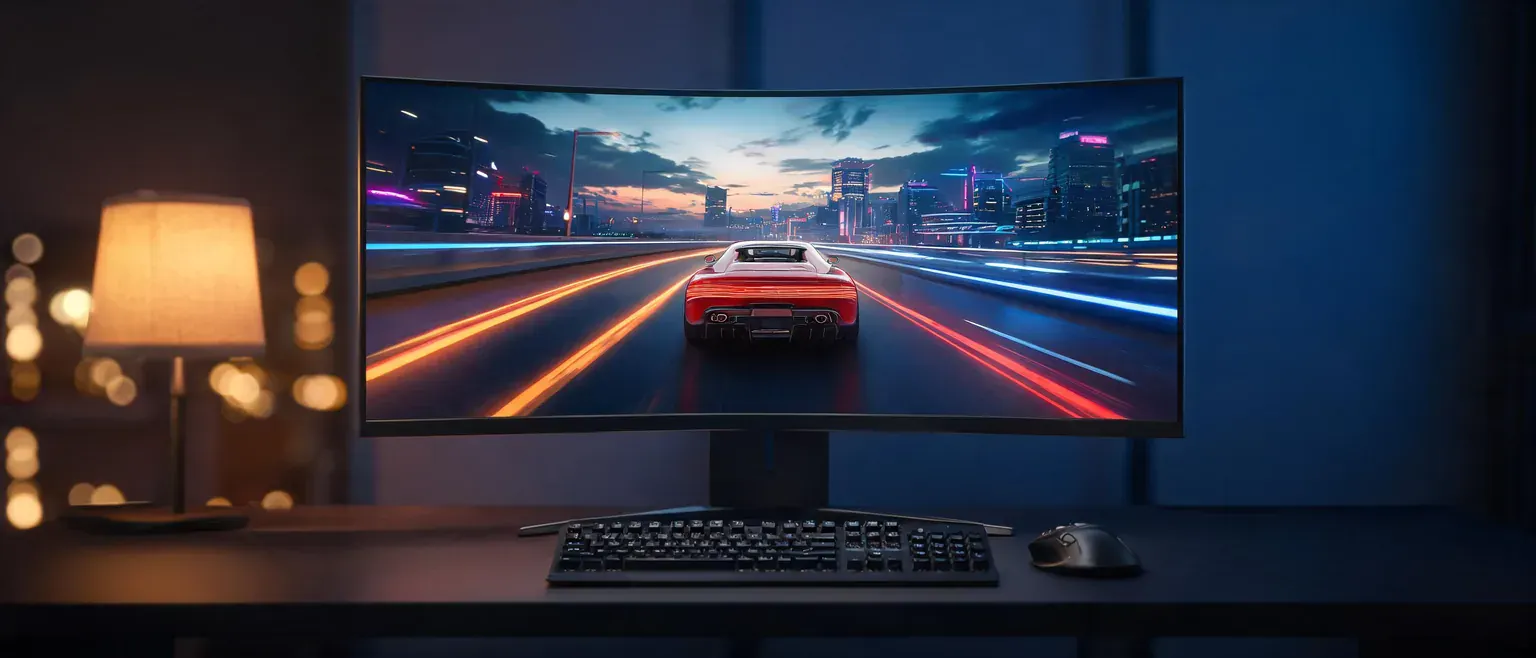
A 34-inch ultrawide replaces the two-monitor juggle: one seamless panel with the spreadsheet on the left and the game on the right, no bezel down the middle. We pulled live Amazon pricing, panel specs and sales ranks on the best ultrawide monitors for 2026 – nine verified picks from a $319.99 entry curve to a $1,428.90 360Hz OLED flagship – and wrote down what each one actually gets right and where it hurts. Every price and stock figure below was checked through Amazon’s product API on November 16, 2026, and every pick is a first-party Amazon listing, not a third-party squatter.
Affiliate disclosure: As an Amazon Associate I earn from qualifying purchases. We earn commission from qualifying purchases made through links on this page. This never affects our rankings or what we recommend.
- The verdict up front
- Why an ultrawide, and who it is for
- The comparison table
- The 9 best ultrawide monitors of 2026
- Price tiers: where more money stops buying performance
- Spec truth: what the panel numbers actually change
- Where we disagree with the big testers
- Failure modes and who should not buy
- Eye comfort: the claims vs the ophthalmology
- How we chose these ultrawides
- FAQ
- Final verdict
The verdict up front
- Our top pick: the ASUS ROG Swift OLED PG34WCDN ($1,428.90) – RTINGS.com’s current best-ultrawide pick – a 360Hz tandem OLED that doubles as a sharp, color-accurate work panel thanks to its RGB Stripe sub-pixels and 90W USB-C dock.
- The chart anchor: the Dell S3425DW ($399.99) is the highest-charting ultrawide we verified – currently #6 best seller in Monitors on Amazon – and the sensible one-cable desk for most people.
- The splurge alternative: Samsung’s 49-inch Odyssey OLED G9 (G91SD) at $879.99 (32% off) delivers a dual-QHD 32:9 canvas for less than many 34-inch flagships.
Why an ultrawide, and who it is for
An ultrawide buys you horizontal pixels – 3440×1440 on a 34-inch panel, 5120×1440 on a 49-inch – which is another way of saying it buys you back the window-switching tax. Trading layouts, code-and-browser splits, timeline editing and racing sims all stop needing a second monitor, and Picture-by-Picture (on the LG 34WR55QK-B and Samsung G9s) even shows two source devices at once on the single canvas. If you mainly need a second screen for calls and chat, a standard monitor is still the cheaper answer – our best monitors for working from home guide covers that lane.
Gamers get the other half of the value: a 21:9 or 32:9 field of view with 1000R-1800R curvature that fills peripheral vision a 16:9 panel cannot. The trade-offs are real and we flag them per pick: some older games break at 32:9, competitive titles restrict ultrawide FOV, and a 49-inch unit needs about 55 inches of desk. If your priority is fast 16:9 competitive play rather than immersion, our best gaming monitors for 2026 guide is the better starting point.
The comparison table
Panel type, refresh rate, listed response, price and stock for every pick, in review order. The table regenerates from the same API data as the cards, so the numbers match.
| Product | Standout spec | Price | Track record | Deal |
|---|---|---|---|---|
 Dell Dell 34 Monitor S3425DW, WQHD VA, 120Hz, FreeSync Premium, Eye Comfort | HDR10 |
Improved ComfortView Plus: Reduces harmful blue light emissions to ≤35%, for all-day comfort wi | $399.99 $419.99 |
#6 in Monitors |
5% OFF In Stock |
 ASUS ASUS ROG PG34WCDN 34 Inch 1440p 360Hz Ultrawide RGB OLED Gaming Monitor | Tand |
Ultrawide WQHD QD-OLED Display: 34-inch curved 1800R monitor with 3440×1440 resolution, 360Hz r | $1,428.90 |
#171 in Monitors |
In Stock |
 Samsung Samsung 49" Odyssey OLED G9 (G91SD) Dual QHD QD-OLED Curved Gaming Monitor | 1 |
DETAILED QD-OLED WORLDS LIVE ON A WIDER, VIBRANT SCREEN: With QD-OLED technology, enjoy a wider | $879.99 $1,299.99 |
#317 in Monitors |
32% OFF In Stock |
 LG LG 34GS95QE 34-inch Ultragear OLED Curved Gaming Monitor WQHD 1440p 800R 240Hz |
34” OLED Display with 21:9 Aspect Ratio – With a large 34” display, 21:9 aspect ratio and a dra | $699.99 |
#23 in Monitors |
Only 12 left in stock – order soon. |
 AOC AOC AGON Pro 34" Curved Gaming Monitor QD OLED 175Hz NVIDIA G-SYNC AG346UCD | |
34" QD OLED DISPLAY: Enjoy stunning visuals with a 34" widescreen display featuring a 3440×1440 | $599.99 |
#1420 in Monitors |
In Stock |
 msi msi MAG 341CQP QD-OLED X28 34" UWQHD Tandem Monitor, 3440×1440,1800R, RGB Stri |
The latest 5th-Gen QD-OLED Panel – A new RGB Stripe sub-pixel layout for sharper visuals | $729.99 $799.99 |
#550 in Monitors |
9% OFF Only 16 left in stock – order soon. |
 ASUS ASUS ROG Strix 34" Curved Ultrawide USB-C OLED Gaming Monitor (XG34WCDMS) | 28 |
34-inch WQHD QD-OLED 1800R monitor with 280Hz refresh rate and 0.03ms GTG response time | $787.49 |
#661 in Monitors |
In Stock |
 Samsung SAMSUNG 49-inch Odyssey G9 (G91F) DQHD, 144Hz, Curved Gaming Monitor, Ultra-Wi |
WRAP YOURSELF IN GREATER DETAIL: Immerse yourself in a panoramic gaming experience with a 1000R | $749.99 $999.99 |
#224 in Monitors |
25% OFF In Stock |
 LG LG 34WR55QK-B 34-inch UltraWide WQHD (3440 x 1440) Curved Computer Monitor, 10 |
21:9 UltraWide – The 21:9 UltraWide WQHD (3440 x 1440) monitor is great for work. The widescree | $319.99 $399.99 |
#81 in Monitors |
20% OFF In Stock |
The 9 best ultrawide monitors of 2026
1. Dell S3425DW – Best Seller Anchor – the current #6 best seller in Monitors
The chart does not lie: out of Amazon’s entire monitor catalog, this $399.99 Dell is the ultrawide people are actually buying – #6 best seller in Monitors at check time, the highest-charting 21:9 panel we could verify for this guide. The draw is the boring stuff done right: a 34-inch 3440×1440 VA panel with 3,000:1 contrast, an ergonomic height-adjustable stand, built-in 2x10W speakers, and a single USB-C cable that carries video and up to 65W of laptop charging.
It is not a gaming monitor first. 120Hz with AMD FreeSync Premium is plenty for desk work and casual play, and the 0.03ms figure Dell quotes is a strobing response mode, not a promise of OLED motion. What $399.99 buys is the pragmatic ultrawide: one cable, no speakers to buy, an anti-glare coating, and ComfortView Plus hardware that caps blue-light output at 35 percent or less.
Dell S3425DW: pros and cons
- Highest-charting ultrawide we verified: #6 best seller in Monitors
- USB-C with 65W power delivery docks a laptop over one cable
- ComfortView Plus caps blue-light emissions at 35% or less for long desk days
- Built-in 2x10W speakers and 120Hz VA panel for $399.99
Flaws but not dealbreakers:
- VA motion clarity trails the OLED picks; 120Hz is the ceiling
- 300-nit brightness makes HDR10 a readiness badge, not a real HDR experience
Who should not buy it: Competitive players who need 240Hz-plus: every OLED pick below outruns it.
2. ASUS ROG Swift OLED PG34WCDN – Our Top Pick
This is the panel RTINGS.com currently names the best ultrawide monitor you can buy, and the spec sheet explains why: a 34-inch tandem RGB OLED running 3440×1440 at 360Hz with a 0.03ms gray-to-gray response, wrapped in a 1800R curve. ASUS pairs it with its RGB Stripe sub-pixel layout, which pushes text crispness closer to an office IPS than to the triangle-layout OLEDs that gave early OLED monitors their fuzzy-font reputation.
The 90W USB-C dock is the quiet reason it leads our list instead of the cheaper OLEDs: one cable drives a 360Hz gaming panel and charges a work laptop at full speed, so the screen that runs ranked shooters after hours anchors a home office at nine in the morning. OLED Care Pro’s Neo Proximity sensor blanks the panel the moment you walk away, attacking burn-in at the source instead of hoping you remember screensaver settings.
ASUS ROG Swift OLED PG34WCDN: pros and cons
- 360Hz QD-OLED – the fastest 34-inch panel on this page
- RGB Stripe sub-pixels keep text edges sharp for daily work
- USB-C 90W charges a laptop while it drives the display
- OLED Care Pro proximity sensor blanks the screen when you leave
Flaws but not dealbreakers:
- $1,428.90 is flagship money with no list discount right now
- True Black 500 peak brightness trails the MSI tandem panel’s 1,300 nits
Who should not buy it: Budget builds and HDR-first buyers – the MSI MAG 341CQP is brighter for $700 less.
3. Samsung 49″ Odyssey OLED G9 (G91SD) – Best Super-Ultrawide Deal
A 49-inch QD-OLED at $879.99 – 32% off its $1,299.99 list – is the aggressive deal of this roundup. The 32:9 canvas runs Dual QHD (5120×1440), literally two 27-inch QHD monitors’ worth of pixels with no bezel between them, on a QD-OLED panel with 0.03ms response and both G-Sync Compatible and FreeSync Premium Pro certification.
Samsung’s burn-in kit is the most automated here: the firmware detects static logos and the Windows taskbar and dims them on its own, while a Thermal Modulation System manages panel heat before it becomes wear. This is the pick for sim racing, trading layouts, and anyone whose game library handles 32:9 properly.
Samsung 49″ Odyssey OLED G9 (G91SD): pros and cons
- 49-inch 32:9 dual-QHD canvas replaces two 27-inch monitors
- QD-OLED blacks with 0.03ms response at 144Hz
- 32% off: $879.99 against a $1,299.99 list
- Logo and taskbar detection dims static content to fight burn-in
Flaws but not dealbreakers:
- Needs a desk roughly 55 inches wide; 32:9 breaks FOV rules in some older games
- 3-year panel warranty is a year shorter than AOC’s OLED cover
Who should not buy it: Small desks, and esports players whose titles restrict 32:9 field of view.
4. LG UltraGear 34GS95QE – Best 240Hz OLED for the Money
Among the OLED picks, this LG has the chart credentials: #23 best seller in Monitors at check time, the best rank of any 34-inch OLED we verified. It pairs a 240Hz refresh and 0.03ms response with LG’s steepest 800R curve, so the panel wraps peripheral vision in shooters, while DisplayHDR True Black 400 and a 1.5M:1 contrast ratio carry the dark scenes.
The stock count is the caveat – Only 12 left in stock at check time – treat availability as live. If it sells through before you click, LG’s 34GX900A-B is the same 240Hz OLED class with a USB-C 65W dock for the same money.
LG UltraGear 34GS95QE: pros and cons
- Best-charting OLED pick here: #23 best seller in Monitors
- 240Hz OLED with 0.03ms response and an 800R wrap-around curve
- 1.5M:1 contrast makes dark-scene games pop
- Height, tilt and swivel stand – rare flexibility at $699.99
Flaws but not dealbreakers:
- Only 12 left in stock at check time – treat availability as live.
- DisplayHDR True Black 400 is the dimmest OLED rating on this page
Who should not buy it: Bright-room HDR watchers – the MSI tandem panel sustains far more luminance.
5. AOC AGON Pro AG346UCD – Best Value QD-OLED
$599.99 is the lowest QD-OLED entry on this page, and AOC gets there without gutting the experience: 175Hz, 0.03ms response, G-Sync compatibility, HDR400 True Black and built-in speakers on a height-adjustable stand. The differentiator is the paperwork – a 4-year warranty, a year longer than Samsung’s OLED cover, which matters on the newest panel technology in the category.
It earns its slot as the QD-OLED entry point: if you have been waiting for the technology to fall under $600, this is the trigger – just note that no USB-C power delivery is listed, so laptop dockers should look at the Dell or the LG 34WR55QK-B instead.
AOC AGON Pro AG346UCD: pros and cons
- Cheapest 34-inch QD-OLED on this page at $599.99
- 175Hz with 0.03ms response and G-Sync compatibility
- 4-year warranty – a year longer than Samsung’s OLED cover
- Built-in speakers and 150mm height adjustment included
Flaws but not dealbreakers:
- HDR400 True Black, not the 500-class HDR of the pricier picks
- No USB-C power delivery is listed at this price
Who should not buy it: Laptop dockers – no USB-C power delivery is listed; take the Dell or the LG 34WR55QK-B.
6. MSI MAG 341CQP QD-OLED X28 – Brightest HDR Panel
MSI’s MAG 341CQP QD-OLED X28 is the brightness pick: a fifth-generation tandem OLED rated at 1,300 nits peak – roughly double the HDR punch of the True Black 400/500 panels around it on this list – plus VESA ClearMR 15000 motion certification and a Delta E 2 or better factory-calibration claim. The RGB Stripe sub-pixel layout and DarkArmor film (40 percent deeper blacks and 2.5x scratch resistance, per MSI) carry over the current OLED generation’s fixes.
At $729.99 – 9% off list – it undercuts the ASUS flagships while beating them on HDR numbers, and an AI Care sensor automates the burn-in protections. Only 16 left in stock at check time – treat availability as live.
MSI MAG 341CQP QD-OLED X28: pros and cons
- 1,300-nit peak – the brightest HDR panel on this page
- Fifth-gen tandem OLED with RGB Stripe text clarity
- VESA ClearMR 15000 motion certification
- AI Care sensor automates burn-in protection
Flaws but not dealbreakers:
- Only 16 left in stock at check time – treat availability as live.
- No USB-C power delivery listed at this price
Who should not buy it: Anyone whose desk runs on a single USB-C laptop cable.
7. ASUS ROG Strix XG34WCDMS – Best for Mixed Work-and-Play
The Strix XG34WCDMS is ASUS’ mid-tier answer: 280Hz QD-OLED, the same RGB Stripe text-crisp sub-pixel layout, BlackShield film (2.5x scratch resistance and a deeper perceived black, per ASUS), a custom heatsink for sustained brightness, and the OLED Care Pro proximity sensor from its flagship sibling – at $787.49 instead of $1,428.90.
It earns its slot for mixed work-and-play desks that want ROG build quality without flagship money. The honest catch: at $57.50 more than the MSI (which is brighter) and $57.50 more than the AOC (which is nearly as fast), you are paying for the heatsink, the sensor and the brand – and both rivals were cheaper at check time. If that trade does not appeal, those two are the smarter buys.
ASUS ROG Strix XG34WCDMS: pros and cons
- 280Hz QD-OLED tuned for mixed work-and-play sessions
- Neo Proximity sensor plus OLED Care Pro automate panel care
- Custom heatsink addresses sustained-brightness heat
- 99% DCI-P3 with Delta E under 2 factory color accuracy
Flaws but not dealbreakers:
- $787.49 sits awkwardly between the $729.99 MSI and the cheaper AOC
- No USB-C power delivery is listed
Who should not buy it: Value hunters – the AOC saves $187 for near-identical speed, the MSI is brighter.
8. Samsung 49″ Odyssey G9 (G91F) – Best Non-OLED Super-Ultrawide
The non-OLED counterpoint: a 49-inch 1000R VA panel with DisplayHDR 600, 144Hz, 1ms-class response and a split-screen mode that puts two sources side by side on the 32:9 canvas. At $749.99 (25% off list) it is now the cheaper of Samsung’s two 49s – $130 under the OLED G91SD – while carrying the higher HDR certification (600 vs 500) and the sustained brightness VA holds in bright rooms.
The trade is technology, not features: you give up OLED’s true blacks, the 0.03ms motion and the automated burn-in kit, and 144Hz sits at the bottom of this field. If those matter to you, the OLED G91SD at $879.99 is worth the $130 stretch; if longevity concerns or a sunlit room dominate the decision, this panel earns its slot.
Samsung 49″ Odyssey G9 (G91F): pros and cons
- DisplayHDR 600 with 1000R VA immersion at 144Hz
- Split-screen mode teams two sources on one 32:9 panel
- 25% off: $749.99 is the cheaper of the two Samsung 49s
- High sustained VA brightness for bright rooms
Flaws but not dealbreakers:
- 1ms-class response and 144Hz trail every OLED pick here
- Gives up OLED blacks and the automated burn-in kit
Who should not buy it: Motion-clarity purists – the OLED G91SD is the faster 32:9 canvas.
9. LG 34WR55QK-B – Best Cheap USB-C Ultrawide
The office lane: a 34-inch 100Hz WQHD panel with USB-C 65W power delivery, Picture-by-Picture for two simultaneous inputs, Reader Mode, a 99% sRGB gamut and a height-adjustable stand – $319.99, 20% off its $399.99 list, and the cheapest USB-C ultrawide we verified.
It is not for gamers: the rated 5ms response and 100Hz refresh put it a class behind everything else on this page. But for a work-from-home dock – laptop charging over one cable, spreadsheets left of the cursor, documents right, zero extra hardware – it does the two-monitor replacement job for less than half the OLED picks.
LG 34WR55QK-B: pros and cons
- USB-C 65W plus Picture-by-Picture turns one panel into two inputs
- 20% off: $319.99 is the cheapest 100Hz ultrawide here
- Height-adjustable stand and Reader Mode for office days
- 99% sRGB covers everyday content work
Flaws but not dealbreakers:
- 5ms rated response and 100Hz – not a gaming panel
- HDR10 badge without the brightness to back it up
Who should not buy it: Gamers who want 144Hz or better – the LG 34G600A-B (160Hz) is the gaming-budget lane.
Price tiers: where more money stops buying performance
$319.99-$429.99, the productivity lane (LG 34WR55QK-B, Dell S3425DW; LG’s $279.99 34G600A-B 160Hz sits just under the band as the gaming-budget alternative): VA-class panels at 100-120Hz with the USB-C docks that make one-cable desks work. In this band, extra money buys USB-C wattage, speakers and stand ergonomics – not motion clarity.
$599.99-$799.99, the QD-OLED band (AOC AGON Pro, MSI MAG 341CQP, ASUS Strix XG34WCDMS, LG 34GS95QE at $699.99): 175-280Hz, 0.03ms response and True Black 400-500 HDR. This is the sweet spot of the 2026 shelf: every dollar above the AOC’s $599.99 floor buys HDR brightness, warranty length or brand polish, not core speed – the MSI’s 1,300-nit panel is the one clear performance exception.
$749.99-$879.99, the super-ultrawide lane (both Samsung 49s): you are buying pixel count (5120×1440) rather than speed. The wrinkle at check time: the VA G91F ($749.99) now undercuts the OLED G91SD ($879.99) by $130, so the non-OLED unit is the cheaper way onto a 32:9 canvas – and the OLED’s $130 premium buys true blacks, 0.03ms motion and burn-in automation. Bright-room buyers who prioritize sustained brightness over black levels save by choosing the G91F; everyone else should stretch for the OLED.
$1,428.90 and up, the flagship lane (ASUS PG34WCDN): the premium buys 360Hz, 90W USB-C and the ROG ecosystem. For anyone who is not paid to play, the $699.99 240Hz LG delivers roughly 90 percent of the experience for roughly half the money – that gap is the definition of diminishing returns.
Spec truth: what the panel numbers actually change
Three spec families separate these nine panels in practice: sub-pixel layout (RGB Stripe layouts on the ASUS and MSI OLEDs render sharper text than classic triangle-layout OLEDs), panel generation (the MSI’s fifth-gen tandem stack roughly doubles HDR peak brightness), and curvature (1000R wraps like a cockpit, 1800R stays office-friendly). The table below lists only what each manufacturer actually states on Amazon.
| Model | Panel | Sub-pixels | Refresh | Listed response | USB-C PD | HDR rating |
|---|---|---|---|---|---|---|
| Dell S3425DW | VA | not listed | 120Hz | 0.03ms (mode) | 65W | HDR10 (readiness) |
| ASUS PG34WCDN | Tandem RGB OLED | RGB Stripe | 360Hz | 0.03ms | 90W | True Black 500 |
| Samsung OLED G9 G91SD | QD-OLED | not listed | 144Hz | 0.03ms | not listed | not listed |
| LG 34GS95QE | OLED | not listed | 240Hz | 0.03ms | not listed | True Black 400 |
| AOC AGON Pro AG346UCD | QD-OLED | not listed | 175Hz | 0.03ms | not listed | True Black 400 |
| MSI MAG 341CQP X28 | 5th-gen tandem QD-OLED | RGB Stripe | 280Hz | 0.03ms | not listed | True Black 500, ClearMR 15000 |
| ASUS Strix XG34WCDMS | QD-OLED | RGB Stripe | 280Hz | 0.03ms | not listed | True Black 500 |
| Samsung G9 G91F | VA | not listed | 144Hz | 1ms | not listed | DisplayHDR 600 |
| LG 34WR55QK-B | not listed | – | 100Hz | 5ms | 65W | HDR10 |
Where we disagree with the big testers
With RTINGS.com: their The 5 Best Ultrawide Monitors roundup (updated November 3, 2026) is an all-premium list topped by the same ASUS PG34WCDN we rank first, and we agree on the flagship. We part ways on the floor: Amazon’s own charts show the budget lane is where the volume is – the Dell at #6 in Monitors, the LG 34WR55QK at #81 – so we keep a $279.99-$429.99 lane their five-pick list skips.
With Tom’s Guide: their best-monitors guide (October 30, 2026, built on professional-grade benchmarks of colors, HDR brightness and response times) picks the MSI MPG 341CQR QD-OLED X36 as the ultrawide to beat. We rank the ASUS on speed-plus-docking instead, and for MSI money we point at the brand’s own MAG 341CQP X28 – same maker, current-gen tandem OLED, verified at $729.99 – rather than assuming the pricier X36 is worth the step up for every desk.
Failure modes and who should not buy
OLED burn-in is a schedule, not a scare story. Static taskbars, logos and trading dashboards are the risk; the mitigations on these panels are real (Samsung’s logo/taskbar dimming, ASUS and MSI proximity sensors that blank the screen, OLED Care routines), but they are automation, not immortality. Warranties differ by brand – 3 years on the Samsung OLED, 4 on the AOC – and that gap is part of the AOC’s value case. Office users who run the same layout 8 hours a day should either rotate layouts, use the VA/IPS picks on this page, or accept the risk consciously.
Stock signals are doing some of the pricing. The LG 34GS95QE (12 left) and the MSI (16 left) were thin-stock at check time, while the AOC – “Only 10 left” when we first probed this shelf – was back in full stock; QD-OLED supply in this band moves fast, and when a unit sells through, the replacement usually arrives at a different price. Treat every figure here as a November 16 snapshot.
Who should not buy, pick by pick:
- Dell S3425DW: competitive players needing 240Hz-plus.
- ASUS PG34WCDN: budget builds; HDR-first buyers.
- Odyssey OLED G9 G91SD: desks under ~55 inches; 32:9-restricted esports titles.
- LG 34GS95QE: bright-room HDR watchers.
- AOC AGON Pro: single-cable USB-C laptop docks.
- MSI MAG 341CQP X28: USB-C dockers (none listed).
- ASUS Strix XG34WCDMS: value hunters (AOC/MSI beat it on price-per-spec).
- Odyssey G9 G91F: motion-clarity purists.
- LG 34WR55QK-B: anyone gaming above 100Hz ambitions.
Eye comfort: the claims vs the ophthalmology
Monitor marketing leans hard on eye comfort, so we checked it against the American Academy of Ophthalmology’s guidance on computers and digital devices. The AAO’s position: screens do not permanently damage your vision, and the strain people feel – blurring, aching, dry or stinging eyes – comes from behavior, not hardware. Their numbers: humans blink about 15 times a minute, but only 5 to 7 times a minute at a screen, which dries the eye out.
That context is the honest way to read Dell’s ComfortView Plus “reduces harmful blue light emissions to ≤35%” claim on the S3425DW: it is a comfort feature, not a medical one – the AAO notes the evidence does not show screen blue light damaging eyes, and its recommended fixes are behavioral (blink deliberately, take breaks, keep the screen at a comfortable distance). What an ultrawide genuinely changes is mechanical: fewer window switches and less monitor-to-monitor head movement. That is a workflow benefit, and we will not dress it up as an eye-health one.
How we chose these ultrawides
Our method, stated plainly: we verified every price, list price, discount, stock count, panel spec and sales rank in this guide through Amazon’s product API on November 16, 2026; every pick is a first-party listing with the brand as the first title token. We read Tom’s Guide’s current best-monitors guide and the AAO’s eye-strain guidance in full, and we cite RTINGS’ and Tom’s Hardware’s published ultrawide picks by title because their review pages render behind JavaScript for automated readers – no quote on this page comes from a page we could not read. Our full process lives on our How We Test & Choose Products page.
Key sources:
- American Academy of Ophthalmology – digital eye strain and blink-rate guidance.
- Tom’s Guide – professional monitor benchmark testing; ultrawide pick context.
- RTINGS.com – The 5 Best Ultrawide Monitors, updated Nov 3, 2026 (title-cited; JS-rendered).
- Tom’s Hardware – Best Gaming Monitors 2026 roundup; large-ultrawide context (title-cited).
FAQ
Are ultrawide monitors worth it for office work?
Yes, if your work lives in side-by-side windows: a 34-inch 3440×1440 panel shows two full documents or a spreadsheet-plus-browser pair without a bezel, and USB-C picks like the Dell S3425DW dock a laptop over one cable. If you only need a second screen for calls and chat, a standard monitor stays cheaper.
Do QD-OLED ultrawides burn in?
Burn-in risk is real but manageable on 2026 panels: static taskbars and logos are the cause, and the picks here fight back with automated taskbar/logo dimming (Samsung), proximity-based screen blanking (ASUS, MSI) and 3-4 year warranties (Samsung 3 years, AOC 4 years). If you run one static layout all day every day, a VA or IPS ultrawide is the lower-risk choice.
Can a 49-inch super-ultrawide replace two monitors?
For most dual-monitor work, yes: the Samsung 49-inch G9 models run 5120×1440, which is two 27-inch QHD screens’ worth of pixels with no center bezel, and Picture-by-Picture can show two computers at once. The catches are physical – you need roughly 55 inches of desk – and some older or competitive games restrict 32:9 field of view.
What does USB-C power delivery mean on an ultrawide?
It means one cable docks a laptop: the USB-C connection carries the video signal and charges the laptop at the same time – 65W on the Dell S3425DW and LG 34WR55QK-B (enough for most mainstream laptops), 90W on the ASUS PG34WCDN (enough for many performance laptops). Monitors without USB-C, like the AOC and MSI picks here, need a separate charger.
Final verdict
Buy the Dell S3425DW ($399.99) if you want the one-cable productivity ultrawide the charts say most people choose; buy the ASUS ROG Swift OLED PG34WCDN ($1,428.90) if 360Hz plus 90W docking is worth flagship money to you; and buy the Samsung 49-inch Odyssey OLED G9 G91SD ($879.99, 32% off) if your dream is one seamless 32:9 canvas instead of two monitors. Everything else on this page earns its slot for a specific desk – the AOC for QD-OLED under $600, the MSI for HDR brightness, the LG 34WR55QK for the $329.99 office dock – and every price here was live on November 16, 2026. If you came here deciding between ultrawide and standard panels first, start with our best gaming monitors for 2026 and best monitors for working from home guides, then come back for the extra 11 inches.