By Team Shopping Picker · Published August 27, 2026 · Last updated September 8, 2026
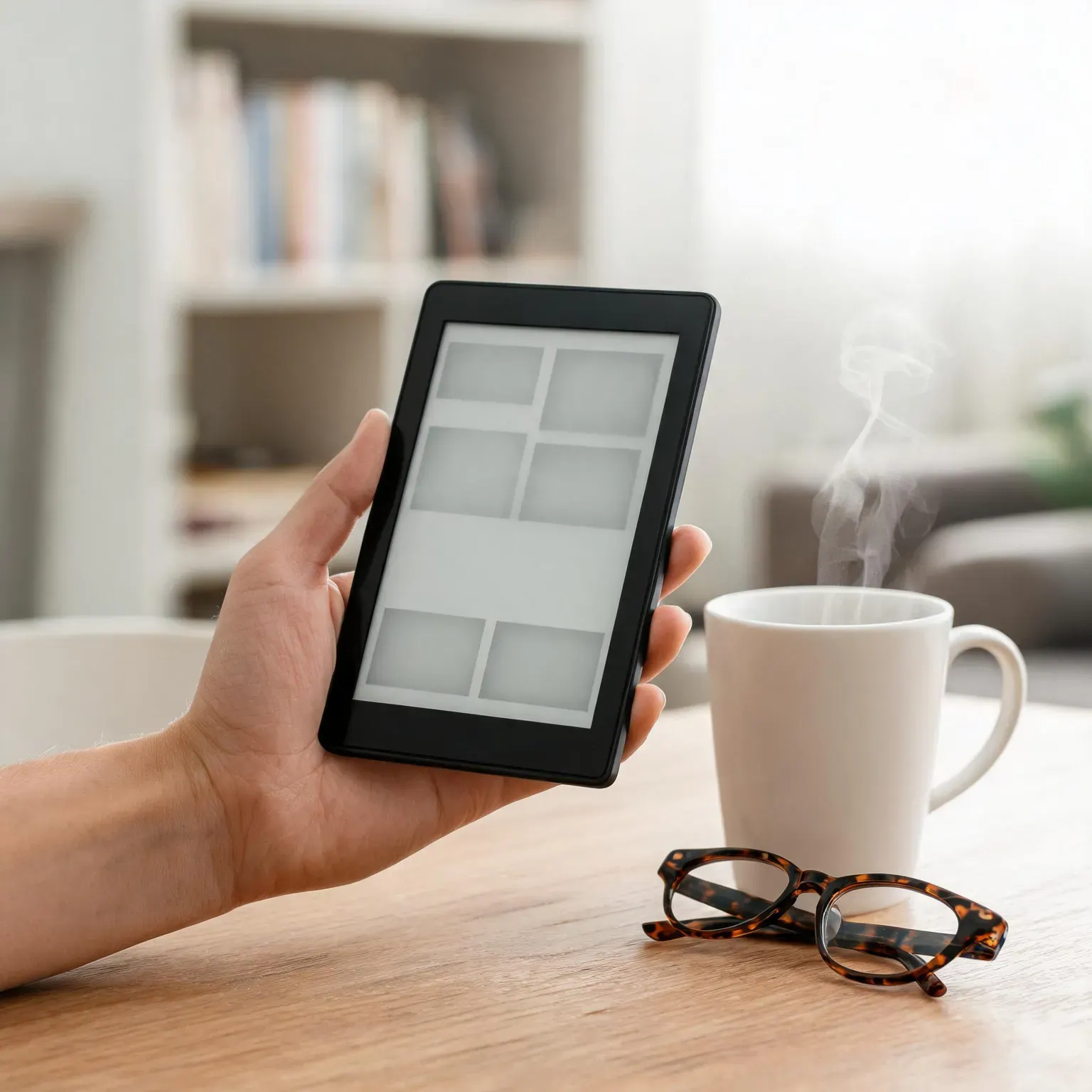
The best e-readers of 2026 make the case better than any tablet: a reflective paper-like screen that stays readable in direct sun, a warm front light for midnight chapters, and batteries measured in weeks instead of hours. We started from the testing consensus — Reviewed’s e-reader bench, Popular Mechanics’s 2026 roundup and Mashable’s long-running Kindle-versus-Kobo test notes — then mapped every winner onto what is actually purchasable on Amazon right now, scrape-verifying each listing live before ranking. The scene in the hero photo above is the pitch in miniature: one slim device replacing a suitcase shelf of paperbacks. Below, our seven picks span the fastest Kindle Amazon has made, two color-E-Ink Kobos that break Amazon’s grip on your library file formats, a 10.2-inch writing slate, and a kid-proofed bundle — covering every budget, screen size and ecosystem preference.
Table of Contents
- Why Trust ShoppingPicker
- E Ink vs a Tablet Screen: Why Dedicated Readers Win
- The 7 Best E-Readers, Compared
- The 7 Best E-Readers of 2026
- Where We Break From the Other Test Desks
- How to Choose Among the Best E-Readers Without Regret
- Caring for Your E-Reader: Battery, Screen and Storage
- Frequently Asked Questions
- Final Verdict
Our Picks at a Glance: The Best E-Readers
- 🥇 Best Overall: Kindle Paperwhite (7-inch, 300 ppi, warm light, waterproof)
- 🥈 Best Budget: Amazon Kindle 16 GB (smallest, lightest, brightest-ever entry display)
- 🥉 Best Premium: Paperwhite Signature Edition (auto light sensor, wireless charging, 32 GB)
- ⭐ Best for Note-Taking: Kindle Scribe 10.2-inch (Premium Pen, AI notebook summaries)
- 💰 Best Value Color: Kobo Clara Colour (color E Ink, waterproof, native EPUB)
- 💰 Best Premium Color: Kobo Libra Colour (page-turn buttons, stylus support)
- ⭐ Best for Kids: Paperwhite Kids (cover included, 2-year worry-free guarantee)
Why Trust ShoppingPicker
This guide leans on independent testing first — and in 2026 the test desks disagree, which is exactly why the disagreement is useful. Reviewed crowns the Paperwhite Signature Edition (32 GB, 2024) and the Kobo Libra Color as its favorites, crediting this Paperwhite generation with up to 25% faster page turns and a higher contrast ratio than its predecessor. Popular Mechanics names the base 2024 Kindle its best overall — it “keeps things simple, and that’s exactly why it’s so good.” Mashable’s dedicated e-reader tester, who cycles through every major Kindle and Kobo and last refreshed her list in August 2026, calls the 2024 Paperwhite “the sleekest, fastest e-reader yet.” Where those desks have not re-tested a model this season, we leaned on aggregate owner data across the seven live listings — the September 2026 rating pools shown with the comparison table below — filtered for recurring complaints about ghosting, battery drain and software quirks.
Our job is turning that disagreement into a shopping list of the best e-readers you can actually buy today. Every ASIN below was scrape-checked live on Amazon at publication — we confirm each listing is an official-brand product page with a live rating pool and no retitled or region-locked bait — and we ranked for real-world priorities: text sharpness, page-turn speed, front-light quality, weight for one-handed reading, storage math and ecosystem openness. Our how we test and choose products page spells out what is hands-on, what is listing analysis and what is aggregated from the cited testers; we are not a lab and we do not claim to be one. We earn affiliate commissions if you buy through our links, but the rankings are written reader-first.
E Ink vs a Tablet Screen: Why Dedicated Readers Win
Every device in this guide uses electronic ink — microscopic capsules of charged pigment that physically rearrange themselves to form text, then hold that image with zero power until the page changes. That physics explains everything you love about reading on one of the best e-readers: there is no backlight shining through your eyes at midnight, so long sessions feel like print rather than screen time; the display is reflective, so sunshine that washes out any LCD becomes free reading light; and because the screen only sips power on page turns, the battery question stops being “how many hours?” and starts being “how many vacations?” A modern reader’s front light solves the dark-room problem, too — LEDs along the bezel illuminate the paper-like surface evenly, and the warm-light setting shifts the tone amber toward bedtime.
Two honest trade-offs matter in 2026. First, page-turn refreshes: e-ink micro-refreshes now make scrolling menus smooth enough, but heavier flashes still appear occasionally, especially inside photo-heavy apps — inherent to how the pigment settles, and why dedicated readers still cannot replace tablets for video. Second, color e-ink (the Kobo picks below) trades sharpness for hue: a color-filter layer drops the effective color resolution to roughly 150 pixels per inch versus 300 for black-and-white pages, and the palette skews muted and pastel — beautiful for covers, comics and color-coded highlights, never for vivid video. Choose color when your reading life includes picture books, manga, magazines or annotate-in-color study sessions; choose monochrome when you mainly read prose and want maximum text crispness.
An eye-health reality check belongs here, because e-readers are marketed on eye comfort. the American Academy of Ophthalmology is blunt that screens do not permanently damage your eyes; digital eye strain, the academy notes, “is no different from the symptoms you may have when reading, writing, or doing ‘close work’ like sewing for long stretches of time.” What E Ink changes is the strain math the AAO actually worries about: its guidance flags screens that “glow brighter than your surroundings” and glare as the workhorses of discomfort — a reflective, matte e-ink panel removes both levers instead of adding a filter after the fact. Long sessions on any display still tire the muscles that focus up close; breaks and blinking remain the real fix, not a gadget upgrade.
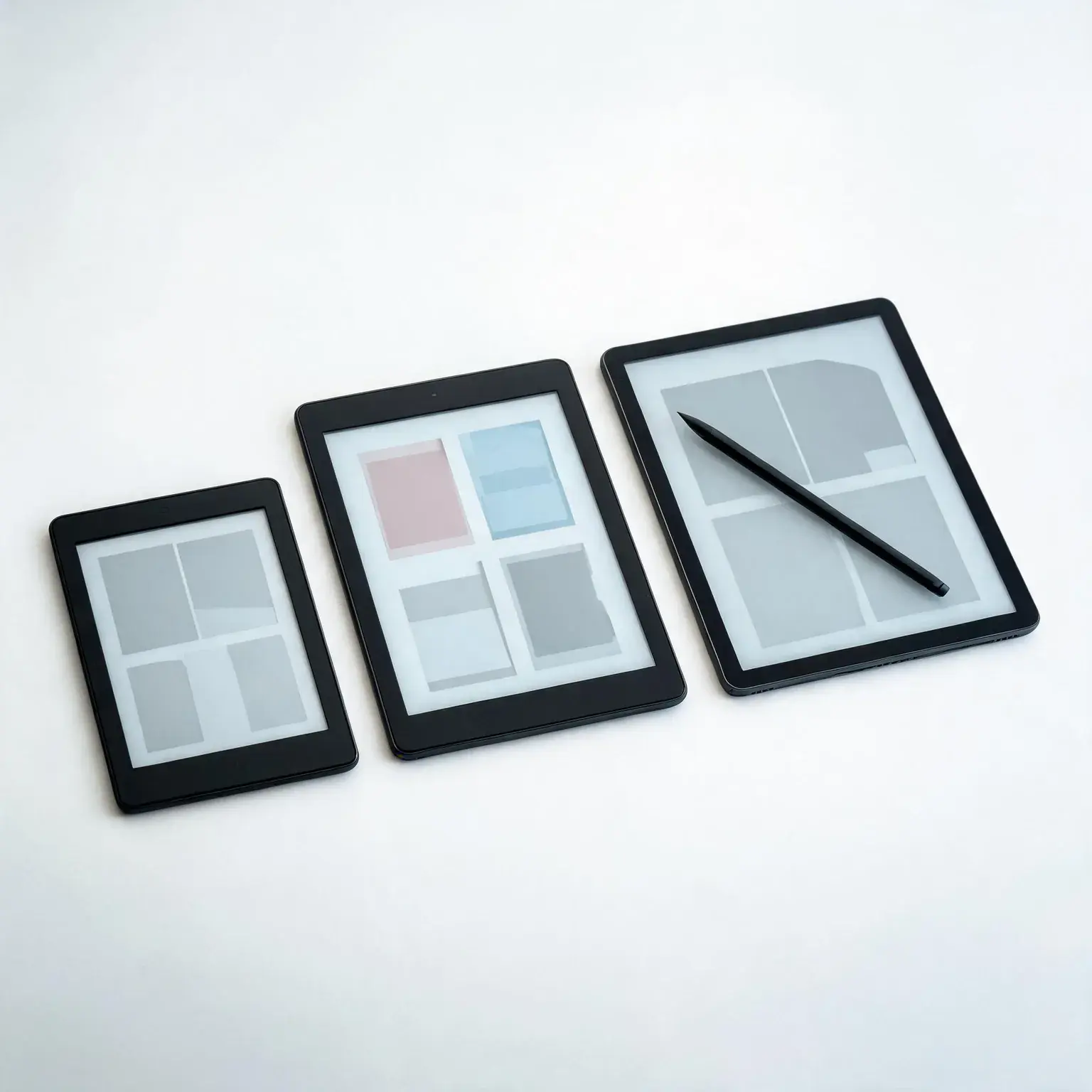
The three silhouettes that matter: a compact 6-inch entry reader, a 7-inch color-capable model and a 10.2-inch writing slate with a stylus.
One more decision shapes everything else: the bookstore behind the screen. Amazon’s Kindle store remains the largest marketplace in the US, with exclusive titles, Whispersync narration bundles and deep sales — but its formats live happily only inside Kindle apps and devices. Kobo’s smaller store speaks open standards natively — drag EPUB or PDF files straight onto the device, borrow straight from public-library catalogs, skip the conversion dance entirely. Neither choice is wrong; the seven best e-readers below include five on each side of that fence, so rank your own habits honestly before ranking anything else.
The 7 Best E-Readers, Compared
Here is the whole lineup at a glance — screen technology, onboard storage and the specific gap each pick fills. Detailed hands-on impressions for every model follow the table.
| Pick | Screen | Storage | Standout | Price Tier |
|---|---|---|---|---|
| Kindle Paperwhite (16 GB) | 7″ 300 ppi E Ink | 16 GB | Fastest pages, warm light, waterproof | $$ |
| Amazon Kindle (16 GB) | 6″ 300 ppi E Ink | 16 GB | Pocket-size, brightest entry screen | $ |
| Paperwhite Signature (32 GB) | 7″ 300 ppi E Ink | 32 GB | Auto light sensor, wireless charging | $$$ |
| Kindle Scribe (64 GB) | 10.2″ 300 ppi E Ink | 64 GB | Pen input, AI notebook summaries | $$$$ |
| Kobo Clara Colour | 6″ Kaleido 3 colour | 16 GB | Waterproof color on a budget | $$ |
| Kobo Libra Colour | 7″ Kaleido 3 colour | up to 32 GB | Page-turn buttons, stylus ready | $$$ |
| Kindle Paperwhite Kids | 7″ 300 ppi E Ink | 16 GB | Cover included, 2-year guarantee | $$ |
Live rating pools, September 8, 2026 snapshot: Paperwhite 16 GB 22,771 · base Kindle 20,242 · Signature 12,808 · Scribe 3,781 · Kobo Clara Colour 505 · Kobo Libra Colour 4,186 · Paperwhite Kids 1,179. Kindle listings show a cannot-ship notice from our Gulf checking region — an Amazon device-shipping rule, not a listing defect; listing states and pools were verified live. The Kobo Clara Colour’s pool is small but official — we flag it anyway.
Affiliate disclosure: We earn commission from qualifying purchases made through links on this page. This never affects our rankings or what we recommend.
The 7 Best E-Readers of 2026
Every listing below was scrape-verified live on Amazon with an active buy box, then ranked on text sharpness, front-light quality, ergonomics, storage realism and price. These are the best e-readers we would spend our own money on this year.
1. Amazon Kindle Paperwhite (16 GB)

- Our fastest Kindle Paperwhite ever – The next-generation 7“ Paperwhite display has a higher contrast ratio and 25% faste…
- Ready for travel – The ultra-thin design has a larger glare-free screen so pages stay sharp no matter where you are.
- Escape into your books – Your Kindle doesn’t have social media, notifications, or other distracting apps.
What We Like
- The consensus pick: Mashable’s full-time e-reader tester calls the 2024 Paperwhite “the sleekest, fastest e-reader yet,” and PCMag’s test desk names the same generation the best ebook reader for most people — rarely do two independent test benches agree this loudly
- A next-generation 7-inch glare-free E Ink panel at 300 pixels per inch that makes text genuinely look printed — the largest step-up screen in the Kindle line for everyday novel readers
- Page turns are roughly 25% faster than the previous generation, closing the perceptible-lag complaint that kept older Kindles feeling sleepy against phones
- An adjustable warm front light slides the bezel LEDs from cool daylight white to candlelight amber — the feature bedside readers notice within one chapter
- IPX8 waterproofing shrugs off poolside splashes and bathtub drops, something no entry Kindle offers, and USB-C charging finally matches the cable in your bag
- Weeks-per-charge battery life measured in page turns rather than hours — leave it in a suitcase for a month and it will still wake up exactly where you stopped
What Could Be Better
- You give up the Signature Edition’s two luxuries: no ambient light sensor that auto-dims at night and no wireless charging pad trick
- Lock-in is real — Amazon’s proprietary formats mean library-adjacent side-loading runs through the Send-to-Kindle conversion flow rather than the plug-and-play openness of the Kobos
- Sixteen gigabytes is generous for text but fills quickly if Audible audiobooks ride along — heavy listeners should eye the Signature
Flaws but not dealbreakers: The standard Paperwhite skips auto-brightness and wireless charging, and Amazon’s format fence still stands around EPUB side-loading — but for the sharpest mid-size screen, the fastest page turns, a warm bedside light and true waterproofing at the middle price, the Paperwhite is the default recommendation among the best e-readers for a reason.
Best For: Almost everyone: novel readers, vacation readers and bedtime readers who want the proven sweet spot of screen, speed and weatherproofing.
2. Amazon Kindle (16 GB)

- The lightest and most compact Kindle – Now with a brighter front light at max setting, higher contrast ratio, and faster…
- Effortless reading in any light – Read comfortably with a 6“ glare-free display, adjustable front light—now 25% brighter…
- Escape into your books – Tune out messages, emails, and social media with a distraction-free reading experience.
What We Like
- The value anchor that reviewers refuse to dismiss: Popular Mechanics names the entry Kindle its best overall — “lightweight and portable, affordable, good battery life” — specs that used to require paying twice as much
- Smallest and lightest in the lineup — it disappears into a jacket pocket or a purse the way no 7-inch or larger rival can
- The front light is roughly 30% brighter than the prior entry model with higher contrast, erasing the old “you can tell this is the cheap one” distinction indoors
- A full 300-ppi screen puts it in the same sharpness class as the Paperwhite — budget shoppers no longer sacrifice reading clarity, only features
- Around six weeks of battery between charges with typical reading, plus USB-C so your phone charger handles both
- Playful matte finishes turn the little brick into a cheerful accessory — the matcha green has become something of a cult favorite
What Could Be Better
- No adjustable warm light — the front light stays a fixed tone, which night owls feel immediately at midnight
- Not waterproof at all: pool chairs and bathtubs need a case-plus-caution combination
- The 6-inch screen and chunkier bezels cramp comfort for magazines, PDFs and large-font readers — prose novels are its element, layouts are not
Flaws but not dealbreakers: It lacks warm-light adjustment, waterproofing and acreage for anything wider than plain text — but as the cheapest door into sharp 300-ppi reading with modern battery and charging conveniences, the entry Kindle is the single easiest purchase to justify in this guide.
Best For: First-time owners, students, pocket commuters and anyone whose reading diet is straightforward novels rather than image-heavy formats.
3. Kindle Paperwhite Signature Edition (32 GB)
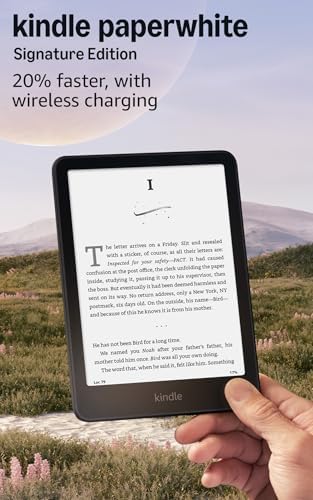
- Our fastest Kindle Paperwhite ever – The next-generation 7“ Paperwhite display has a higher contrast ratio and 25% faste…
- Upgrade your reading experience – The Signature Edition features an auto-adjusting front light, wireless charging, and 3…
- Ready for travel – The ultra-thin design has a larger glare-free screen so pages stay sharp no matter where you are.
What We Like
- Everything that earned the standard Paperwhite its perch — the fast 7-inch 300-ppi waterproof body — plus three quiet luxury upgrades that regular readers notice daily
- An ambient light sensor adjusts brightness automatically as evening falls or lights switch off — no fumbling through menus mid-chapter, a first for the Kindle line at this size
- Qi wireless charging tops the reader up wherever a charging pad already lives — nightstands and travel desks gain a new-level convenience factor
- Thirty-two gigabytes of storage covers approximately ten thousand eBooks or several hundred hours of Audible — the anti-anxiety option for serial library builders
- Ships without lockscreen advertisements forever — the interruption-free product Amazon should sell everywhere
- Weeks-long battery life survives transatlantic flights, campground weekends and power outages alike, whether topped up wired or wirelessly
What Could Be Better
- The core reading experience is literally identical to the standard Paperwhite — you pay a meaningful premium for convenience hardware, not a better page
- Wireless charging requires a pad you own separately, so the cheapest path to using that feature involves another purchase
- For a prosaic reader who keeps twenty books onboard and listens to nothing, thirty-two gigabytes of storage is space bought and never filled
Flaws but not dealbreakers: You are buying convenience rather than capability — the screen, speed and waterproofing match the cheaper standard Paperwhite exactly — but for audiobook listeners, night-table minimalists and anyone who wants the light to think for itself, the Signature is the guilt-free indulgence of this lineup.
Best For: Heavy Audible users, gadget-lovers upgrading from a decade-old Kindle, and nightstand minimalists who want auto-light and pad-charging elegance.
4. Amazon Kindle Scribe (64 GB, includes Premium Pen)

- A digital notebook for all your writing needs – Replace your stack of notebooks with a single device purpose-built for w…
- With AI tools to transform your notes – Convert messy handwriting into readable font, summarize your notes, and change t…
- Feels like pen on paper – See, feel and hear your thoughts meet the page with every stroke of the Premium Pen. No need t…
What We Like
- A reader and a notebook fused: the 10.2-inch, 300-ppi screen dwarfs every other pick here and ships with the Premium Pen in the box — an eraser-tipped, never-needs-charging stylus
- Write sticky-note margin comments directly inside purchased books — a 2024 Scribe refinement that finally makes annotation feel native rather than bolted on
- Built-in AI notebook summarization turns scribbled meeting notes and journal entries into tidy typed digests — genuinely useful for meeting-havers rather than demo-day vaporware
- Document workflows shine: send PDFs, contracts and paperwork straight to the Scribe, mark them up like paper, and export cleanly afterwards
- Newspapers, sheet music, journal scans and graphic novels finally get the real estate their layouts always demanded from digital readers
- A redesigned flush-metal front plus the warm front light make it feel like a premium slab rather than an office gadget, with weeks of notebook-to-notebook battery
What Could Be Better
- Weight and price top this table by wide margins — one-handed novel reading on the couch tires noticeably faster than on any other pick here
- The writing layer nudges contrast down a hair: backgrounds read slightly grayer and thin fonts a touch lighter than on pure reading Kindles — visible side by side, invisible alone
- No waterproofing — an outdoor-workstation omission given how often these slates accompany patio sessions and coffee shops
Flaws but not dealbreakers: It is the heaviest, most expensive and least pocketable pick, and its contrast loses a sliver to the dedicated readers — but for professionals, students and planners who want razor-sharp textbook pages, native pen input and AI-assisted note cleanup in one device, the Scribe is the only credible Kindle-format answer.
Best For: Students and professionals drowning in PDFs, chronic note-takers, and academics who read and mark up documents every single day.
5. Kobo Clara Colour

- 𝗕𝗥𝗢𝗪𝗦𝗘 𝗔𝗡𝗗 𝗥𝗘𝗔𝗗 𝗘𝗕𝗢𝗢𝗞𝗦 𝗜𝗡 𝗙𝗨𝗟𝗟 𝗖𝗢𝗟𝗢𝗨𝗥 – Read in colour with a 6” E Ink Kaleido 3 display to enjoy eBook covers, comics, …
- 𝗛𝗜𝗚𝗛𝗟𝗜𝗚𝗛𝗧 𝗜𝗡 𝗖𝗢𝗟𝗢𝗨𝗥 – With multiple colours available at the touch of a finger, you can highlight your eBooks. Add, eras…
- 𝗘𝗔𝗦𝗬 𝗢𝗡 𝗬𝗢𝗨𝗥 𝗘𝗬𝗘𝗦 – ComfortLight PRO automatically reduces blue light and personalize your reading settings via font siz…
What We Like
- Full-color E Ink goes portable: Rakuten Kobo’s 6-inch Kaleido 3 panel renders illustrated covers, comic panels and magazine layouts in muted-but-real hues that monochrome Kindles simply cannot show
- Native EPUB, PDF, CBZ/CBR comic archives and even Dropbox transfers work without conversions — sideload anything, ignore format wars entirely
- OverDrive integration borrows from your existing public-library card right on the device — reserve, download and return novels without touching a computer
- IPX8 waterproofing in the smallest color reader available — bath readers and beach loungers get color without stepping up in size or price
- Adjustable brightness and color temperature on the front light, plus a dark-mode palette flip that suits late-night window seats
- Readable months between charges thanks to E Ink economics, with a compact footprint that mirrors a paperback better than anything larger on this list
What Could Be Better
- Text passes through the color-filter layer, so body copy reads slightly softer than a same-priced black-and-white Kindle — tolerable, but pixel-peepers will notice
- Color reproduction is pastel-realistic rather than vivid — closer to a watercolor printout than an iPad screenshot, exactly like every other Kaleido 3 device
- Rakuten’s storefront shelves fewer exclusives and no Kindle Unlimited — loyal Amazon-original readers hit dead ends
Flaws but not dealbreakers: Sharpness dips subtly behind the color filter, hues stay restrained, and Amazon exclusives are off-menu — but for library borrowers, EPUB collectors and readers of anything illustrated who want waterproof portability without Amazon’s ecosystem tax, the Clara Colour is the value play of the year.
Best For: Public-library power users, manga and comics readers, EPUB-sideloaders and anyone deliberately stepping outside the Kindle garden.
6. Kobo Libra Colour

- 𝗕𝗥𝗢𝗪𝗦𝗘 𝗔𝗡𝗗 𝗥𝗘𝗔𝗗 𝗘𝗕𝗢𝗢𝗞𝗦 𝗜𝗡 𝗙𝗨𝗟𝗟 𝗖𝗢𝗟𝗢𝗨𝗥 – Book covers, comics, graphic novels, illustrations, note-taking and more come to…
- 𝗬𝗢𝗨𝗥 𝗝𝗢𝗨𝗥𝗡𝗔𝗟, 𝗗𝗔𝗜𝗟𝗬 𝗣𝗟𝗔𝗡𝗡𝗘𝗥, 𝗔𝗡𝗗 𝗠𝗢𝗥𝗘 – Dive into your stories with colorful markups. With Kobo Stylus 2* compatibility …
- 𝗟𝗜𝗚𝗛𝗧𝗪𝗘𝗜𝗚𝗛𝗧 𝗘𝗥𝗚𝗢𝗡𝗢𝗠𝗜𝗖 𝗗𝗘𝗦𝗜𝗚𝗡 – Ergonomically designed with page-turn buttons, left/right screen rotation, full font size…
What We Like
- Physical page-turn buttons return: an ergonomic asymmetric grip carries two tactile keys that flip pages instantly — the single most requested hardware feature absent from every modern Kindle
- The 7-inch Kaleido 3 color screen pairs with optional stylus support — attach a Kobo Stylus and annotate novels, sketch diagrams or fill notebook templates directly on-page
- Handwriting-aware notebooks and journals arrive pre-installed with lined, graph and manuscript templates — a worksheet-friendly bonus teachers and engineers appreciate
- Waterproof like its sibling plus warm-light adjustment, dark mode and OverDrive library borrowing — the full Kobo convenience stack in the bigger chassis
- Roomier onboard storage configurations comfortably swallow oversized comic archives and scanned library dumps that bloat smaller readers
- Months of E Ink battery stretch across semester breaks and long trips without nursing anxiety
What Could Be Better
- Size and price climb meaningfully beyond the Clara Colour for the same underlying color technology — you pay for hardware ergonomics, not better pixels
- Identical Kaleido 3 compromises apply: softer text through the color layer, restrained pastel palette, occasional slower redraws on dense imagery
- The stylus that unlocks the annotation magic costs extra on top of an already-premium reader
Flaws but not dealbreakers: It charges a clear premium for buttons, bulk and pen potential over its smaller sibling, and inherits every color-E-Ink caveat — but for long-session readers who missed hardware page controls, annotators and style-conscious library lovers, the Libra Colour is the fullest-featured non-Amazon e-reader sold today.
Best For: Page-button devotees, heavy annotators, cookbook-in-kitchen readers and students marking up PDFs who prefer buttons over touch flicks.
7. Amazon Kindle Paperwhite Kids (16 GB)

- The ultimate reading device for kids – Includes 6 months of Amazon Kids+, a kid-friendly cover, and a 2-year worry-free …
- Our fastest, thinnest Kindle Paperwhite Kids ever – Ready, set, read on the next-generation 7” Paperwhite display with h…
- Includes 6 months of Amazon Kids+, a subscription designed for kids aged 3-12, providing unlimited access to thousands o…
What We Like
- The complete-package family pick: Amazon’s newest 7-inch Paperwhite hardware — 300-ppi screen, warm light, waterproof shell, fast page turns — wrapped with accessories and safety nets adults pay extra for elsewhere
- A fabric cover ships in the box, saving the first-accident panic purchase that follows almost every kids’ device home
- Amazon’s 2-year worry-free guarantee replaces the device outright when backpacks, pools or gravity win — the definition of a parent-proof promise
- Zero advertisements, ever, plus an age-filtered browsing experience curated down to the child’s account level
- Reading-goal dashboards and achievement badges give reluctant readers the video-game dopamine loop — Amazon cites kids reading an average of over an hour daily on Kindle devices
- Parental controls manage reading windows, spending locks and story-age limits remotely through a familiar app
What Could Be Better
- Pricing assumes accident-prone ownership: gentle readers save real money with a refurbished or sale-priced standard Paperwhite instead
- Cover designs lean decidedly young — teenagers and tweens may quietly crave the plain adult hardware
- The annual kids-content subscription renews at full price later unless families cancel or negotiate — calendar a reminder
Flaws but not dealbreakers: Parents of tidy, careful readers effectively prepay for insurance they may never use, and the licensed designs skew juvenile — but for gifting, family travel, bathtub-reading champions and reluctant young bibliophiles, the Paperwhite Kids bundle removes every worry that usually stalls a kids e-reader purchase.
Best For: Families buying a first serious reader, grandparents choosing a birthday gift, and any household where screens meet swimming pools.
Where We Break From the Other Test Desks
Reviewed’s best e-reader is the Paperwhite Signature Edition, not ours. Their bench logic is sound — the auto light sensor, wireless charging and 32 GB are genuinely nice — but their own verdict concedes it is “close to a perfect 10, but it’s not an inexpensive e-reader.” We rank it third because the core reading experience is identical to the standard Paperwhite: you pay a meaningful premium for nightstand conveniences, not for better pages.
Popular Mechanics goes the other way and names the base Kindle best overall. We keep it as our budget pick rather than the crown because its own pros-and-cons list gives up warm light and waterproofing — the two features our bedside-and-beach readers actually use. Mashable lands where we do: after months of alternating devices, their tester chose the 2024 Paperwhite overall, and PCMag’s desk reached the same verdict for most people.
On Kobo we split with nobody about the Libra Colour, but we weigh battery differently than Mashable, whose tester calls the Clara Colour’s battery life “quite pathetic in the face of the Kindle’s 12-week battery life” — and still prefers reading on it. We agree with both halves: the Clara’s shorter stamina is a real cost, and Libby-first readers still get the better hardware deal at this price.
How to Choose Among the Best E-Readers Without Regret
Buying from the best e-readers comes down to four decisions — screen size, storage honesty, ecosystem preference and price tier — worked through in that order. Answer each one for your actual habits and the shortlist collapses to a single confident candidate.
Screen Size and Weight: The Physics of One Hand
Reading happens mostly with one hand holding the device, and weight compounds over hours. Six-inch models hover featherweight enough for jacket pockets and one-finger page flips; 7-inch bodies add noticeable width for comfortable portrait text columns while staying couch-friendly; 10-inch-class slates like the Scribe demand two hands or a stand, which is precisely why they double as notebooks and document viewers. If you read mainly while commuting, choose small. If you read mostly in bed, 7 inches hits the sweet spot with warmer, dimmer light control. Reserve the large tablets for study workflows — nobody needs newspaper margins on a treadmill.
Storage Math: Books Are Tiny, Audiobooks Are Not
Here is the number that surprises everyone: a typical novel occupies about one megabyte, so a 16 GB reader holds roughly eight thousand of them — nobody out-reads that in a lifetime of casual fiction. Storage pressure comes exclusively from audio: each finished audiobook consumes tens to hundreds of megabytes, and a weekend binge plus offline podcasts can eat multiple gigabytes quickly. Heavy Audible subscribers or comic-archive collectors should pick the Signature Edition or Scribe outright; everyone else should treat 16 GB as effectively infinite for text.
Lighting: Where Front-Light Quality Actually Matters
All modern screens on this list are lit evenly enough for bedtime chapters, but adjustability separates them. Fixed-tone entry models illuminate clearly yet keep the cooler cast all night. Adjustable warm light — standard across Paperwhides and Kobos here — lets you dial toward amber as wind-down approaches, which night-shift-weary eyes read as kindness rather than spec sheet fluff. The Signature Edition ends menu-diving with its ambient sensor, trimming a nightly ritual to nothing. Frequent nighttime readers should weight these differences heavily; daytime porch readers need not.
Ecosystem: The Fence You Live On
Amazon’s empire buys you the deepest marketplace, aggressive daily deals, Whispersync pairing between ebook and audiobook, and the social weight of recommendations culture. It also builds a mild moat around your purchases — leave the platform eventually and expect a conversion choreography session with a computer involved. Kobo sells openness: native EPUB and PDF acceptance, Dropbox transfer paths, fewer gated exclusives, and OverDrive library borrowing woven directly into the device interface. Ask yourself honestly: do you mostly buy new releases from the big catalog, or wander between project Gutenberg classics, indie EPUBs and library loans? Match the fence to the answer, because switching ecosystems later means re-buying nothing — or rebuying everything.
Budget: Where Value Actually Lives
Under-the-entry-price territory barely exists for legitimate hardware; the entry Kindle IS the floor, and it shares the sharp-display advantage of everything above it. Mid-range dollars unlock waterproofing, warm light and speed (Paperwhite, Clara Colour) — the smart-money zone most reviewers steer toward. Premium prices chase convenience and capacity: sensors, pads, pen and screen-acreage on the Signature, Libra Colour and Scribe. Two timing notes: Amazon discounts its own devices heavily during Prime events and October savings rounds, and Bundles-with-covers frequently undercut separate accessory purchases around holidays. Buy the tier that matches your habits and wait strategically — e-reader prices move like furniture, not concert tickets.
Caring for Your E-Reader: Battery, Screen and Storage
These devices ask little and last for years — the original Kindles from 2007 still boot today — but a few habits preserve peak performance. Charge on a normal cadence rather than pinning the meter at empty or full constantly; lithium cells age slowest living between roughly 20 and 80 percent, and weeks-long standby means you will rarely sweat thresholds anyway. Clean the display with a dry microfiber cloth only — glass-cleaner solvents and wet wipes attack oleophobic coatings applied over E Ink surfaces. Cases earn their keep through corners, not movie star turns: folio styles protect the front when slid into bags while leaving charging accessible. Water resistance ratings cover freshwater immersion incidents, not chlorine hot tubs or soap-poisoned bath bombs, and none of the seals survive gravel beaches in pocket lint. Finally, mind thermals: parked cars in summer heat cook batteries faster than years of reading cycles do. Software updates install overnight while the device sleeps; restart annually — or whenever the interface feels sluggish — and any of the seven best e-readers above will outlast the phone you already gave up on twice.
Frequently Asked Questions
Kindle or Kobo — which ecosystem should I buy into?
Buy Kindle if you largely purchase mainstream new releases, enjoy browsing the widest selection and sales, or already collect Audible audiobooks that pair through Whispersync. Buy Kobo if you read public-library novels weekly, keep independent EPUB files, import your own documents, or simply prefer avoiding a single company’s gatekeeping. Practically, both ecosystems hold titles technically well; neither lags badly enough to regret — the strongest driver is usually your library card, which shines harder on the Kobo models through built-in OverDrive borrowing, and your willingness to convert odd formats, which sits easier on the Amazon route thanks to Send-to-Kindle automation.
Are color e-ink readers worth it yet?
For the right reader, finally yes — with calibrated expectations. Kaleido 3 color panels render elegant illustrated covers, legible comics and manga, and useful color-coded highlighting, all at battery-friendly e-ink refresh speeds no tablet matches. But colors stay watercolor-muted rather than OLED-vivid, resolution trails the black-and-white layer at roughly half sharpness for imagery, and text reads fractionally softer behind the filtering layer. Buyers who read mostly prose will find the color novelty wears thin fast and would enjoy the monochrome Kindles’ punchier text more; readers with substantial graphic-novel, cooking-magazine or study-highlighting diets will use the color daily and consider the Clara or Libra worthwhile companions.
How much storage do I need in an e-reader?
More than you think — and simultaneously less than you fear. Text is astonishingly light: 16 GB holds several thousand novels comfortably because a typical eBook weighs in around a megabyte or two. The storage equation changes completely once audiobooks enter the routine, since audio demands dozens-to-hundreds of megabytes per title, letting a prolific listener consume gigabytes monthly alongside library tracks. Downloading enormous comic archives or scanned research compendiums eats space similarly fast. Practical guidance follows usage: casual and moderate readers thrive within 16 GB indefinitely; consistent audiobook subscribers should favor the 32 GB Signature or 64 GB Scribe without agonizing further.
Can I borrow library books on these e-readers?
Yes — with different smoothness levels worth knowing upfront. Kobo devices integrate public-library lending natively through OverDrive: link your library card once inside the settings and the store gains a Borrow button beside eligible titles; returns happen automatically when lending periods expire. On Kindles, the established path flows through the Libby application on your phone, which can deliver borrowed eligible eBooks to your registered Kindle email address where they sync straight onto the device — effectively seamless once configured properly. Either way, borrowing costs nothing beyond residency cards, making it the single best-value feature any of the best e-readers offer its holders.
Is E Ink really easier on your eyes than a phone or tablet?
In the ways that keep avid readers awake longest, yes. Electronic ink reflects surrounding light exactly as printed paper does, eliminating the internal backlight glare that accelerates fatigue during extended sessions. There is no high-energy blue barrage dominating wavelengths at night either, though the warm-light adjustment exists precisely because even its whitish LED variant bothers sensitive sleepers less than raw phone displays. Beyond optics, remove notification temptations from a distraction-free surface and sessions run longer with less mental friction. Clinical claims about permanent eye health remain debated among optometrists — but anecdotal reviewer consensus remains overwhelming: virtually every owner reports substantially reduced strain switching from backlit tablets toward dedicated E Ink reading hardware.
Do I really need a case, and are they waterproof enough for the tub?
Waterproofing declared on-box — the IPX8-rated models throughout this list including both Paperwhites, both flagships and every Kobo reviewed — legitimately permits freshwater submersion per rating specifications, and bathtub reading counts among the celebrated use cases accordingly. Still, engineers design those seals accidentally challenged constantly rather than daily; combined with droppage risks onto hard tiles, most veterans recommend basic protection regardless. Ultralight sleeves cost little and shield bag-scuffs admirably; folding folio covers guard greased fingerprints plus shower-mirror steam alike; rugged shockproof shells exist for children though they sacrifice slimness wholesale. Common sense completes waterproofing education: never dunk deliberately expecting perfection repeatedly, rinse lightly following accidental saltwater contact, allow thorough drying before connecting any charging cables ever.
What is E Ink ghosting and screen flash? Should it worry me?
Ghosting describes faint residue impressions lingering after page transitions — imagine scanning slight charcoal shadow ghosts trailing behind flipped text briefly until proper refresh clears them. Occasional micro-flashes accompany design decisions balancing clarity against conspicuousness: electronics periodically invert pigment polarity completely ensuring uniform darkness distribution across surfaces over lengthy operations. Modern firmware orchestrates these mechanisms smartly enough that readers rarely perceive interruptions during flowing sessions anymore; heavier artifacts tend appearing exclusively within adjacent-menu navigation contexts instead. Bottom line assessment: contemporary implementations refined sufficiently causing virtually nobody complaints beyond niche enthusiasts scrutinizing extreme usage patterns obsessively online — treat older ghosting horror stories, sourced commonly from decade-old hardware generations, as outdated folklore happily irrelevant toward whichever current generation you ultimately select today.
Final Verdict
Buy the Paperwhite (16 GB) if you want the definitive all-arounder — the sharpest mid-size E Ink panel, the fastest page turns, warm bedside light and genuine waterproofing at the sensible middle price that Mashable’s tester and PCMag’s desk both rank first for most people. Stretch to the Signature Edition when night-table luxuries such as automatic dimming and wireless pads sound like your ritual, choose the entry Kindle when budget leads and prose-only habits follow, or step up to the Scribe when pen-driven workflows define your weekdays. Jump the fence for the Kobo Clara Colour when library cards, EPUB freedom and splash-proof color outweigh marketplace breadth — or its Libra Colour sibling when hardware page-turn buttons deserve resurrection. Families should grab the Paperwhite Kids and stop worrying entirely. The formula every buyer needs: match screen size to your grip, storage to your audiobooks, ecosystem to your library card, and front-light flexibility to your bedtime — then take whichever of the seven best e-readers above fits that profile, load it from the porch table where sunlight already proves the point, and enjoy the quietest upgrade you will gift yourself all year.
Disclosure: ShoppingPicker participates in the Amazon Services LLC Associates Program. As an Amazon Associate, we earn from qualifying purchases at no additional cost to you.
Sources & Further Reading
- Reviewed: The Best E-Readers of 2026
- Popular Mechanics: Best E-Readers 2026 (metered paywall)
- Mashable: The 9 Best E-Readers of 2026, Tested
- PCMag: The Best eBook Readers
- American Academy of Ophthalmology: Computers, Digital Devices, and Eye Strain